Page 3 of 16
1
7
4
2
3
9
6
8
5
10
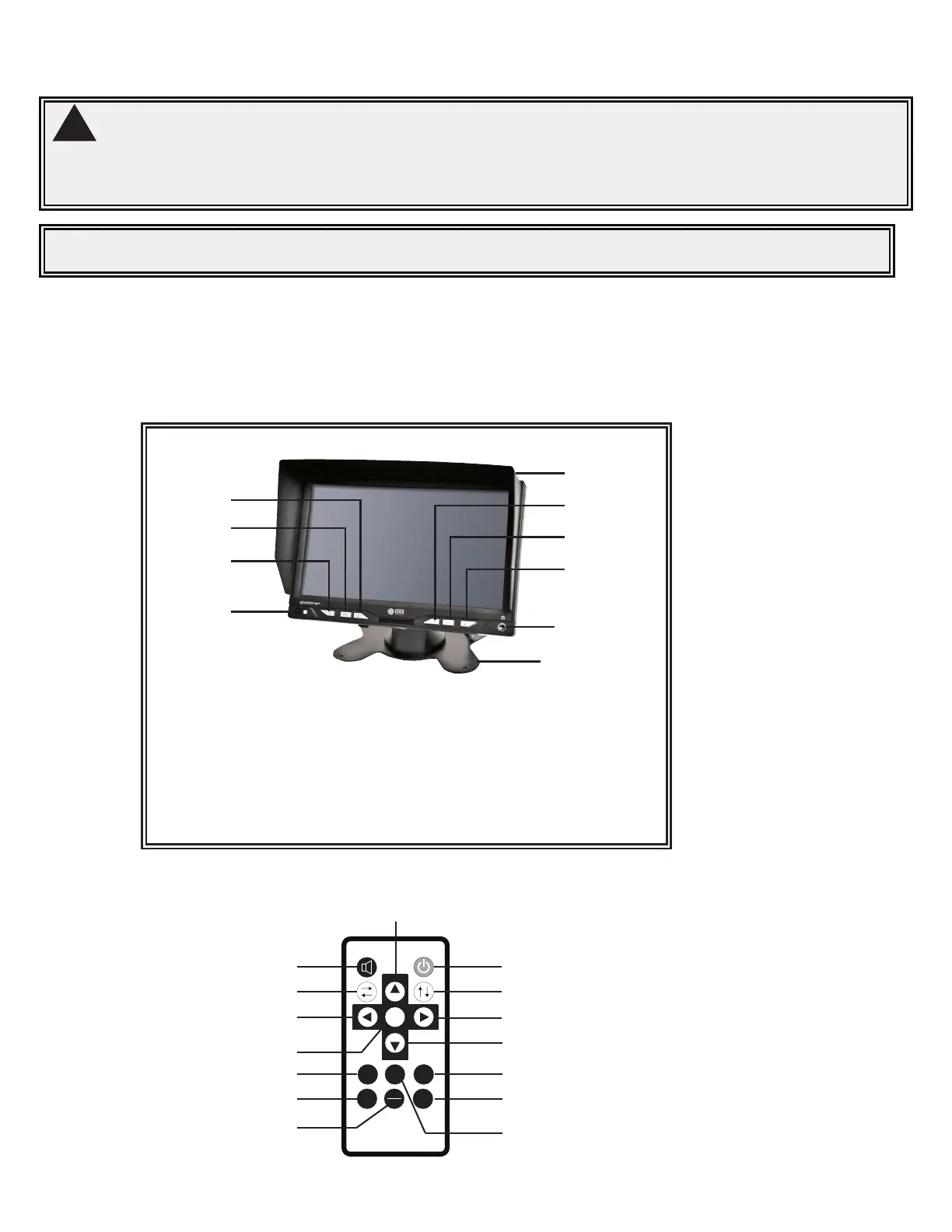
1
Remote receiver
2
Power on/off
3
AV1/AV2 Switch
4
Mirror/Normal image mode
5
Analog decrease
6
Menu
7
Analog increase
8
Headphone jack
9
Sunshade
10
Bracket
Remote:
WARNING!
To prevent accidental shock, DO NOT OPEN THE MONITOR CASE. Opening the monitor case will expose the
inside of the monitor to conditions that could adversely aect performance. Any evidence of tampering with
sealed components will void the warranty.
Important! Do not expose the monitor to water, it is not waterproof. Any water that leaks into the monitor could cause
extensive damage.
Monitor:
Model M7000B
Installation instruction of using pedestal base:
1. Select suitable position on vehicle and x the base support.
2. Fix the monitor to the base support and adjust the view angle.
3. Attach the sun-visor to monitor
4. Connect the monitor to the power harness (provided with kit)
Monitor Parts Identication
CH
CH
MENU
MODE RESET TIMER
GRID
16:9
4:3
SEL
REMOTE CONTROL
Power on/off
Mute
Horizontal Mirror/Normal Image Vertical Mirror/Normal Image
Volume Up
Volume Down
Menu
Standard, Vivid, Soft,
Light, and User
Reversing Benchmark
Screen Mode (16:9/4:3)
Analog Increase
Analog Decrease
Sleep Timer(0-240 mins)
AV Switchover
Reset


 To Next Page