Page 4 of 16
Specications:
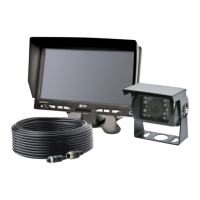
CAMERA C2013B
Image CMOS
Voltage Requirement 12V
Eective Pixels 725 x 488
Power Consumption 1W
Lens Size 1/4”
Lens Angle 120°
Audio No
Light Sensor Auto Switch B&W
Infrared LEDs 18
Pigtail Connection: CAM Male 4 Pin Threaded
Housing Aluminum Alloy
Mech. Vibration 8g
Weight 0.58 lbs
Dimensions (WxHxD) 2.92”x3.01”x2.62”
Operating Temp. -4°F to 158°F
IP Rating IP69K
Approvals FCC,CE,RoHS
Current Consumption 175mA Max
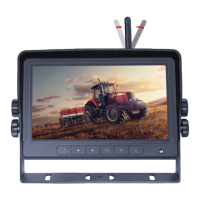
MONITOR M7000B
Screen Size 7” (4:3) and (16:9)
Controller 2 Camera
Voltage 12-24 VDC
Power Approximate: 5W
Resolution 800(W)XRGBX480(H)
System PAL/NTSC
Visible Area 154X86mm
Contrast 400:1
Split Screen Feature No
DVR Compatible No
Audio No
Brightness 400cd/m2
Light Sensor Auto Dim
Camera Selection Manual or via AV2 trigger wire
Connection: CAM Female 4 Pin Threaded
Connection (Monitor Pigtail) Male 9 Pin
Housing Plastic
Mounting Pedestal
Weight 0.88 lbs
Dimensions (WxHxD) 6.85” x 4.49” x 0.94”
Operating Temp -4°F to 158°F
Remote Control Yes
Approvals FCC,CE,RoHS
Menu Operations:
Press the Menu button on the remote control or the Menu button on the monitor to get to the Menu selection.
Use the CH up & CH down on the remote control or CH button on the monitor to toggle between menus.
Use the Volume Up on the remote control or Analog Increase on the monitor to select highlighted menu. Use
Volume Down on the remote control or Analog Decrease on the monitor to back to the previous menu.
Use Select on the remote to close Menu Options.
PICTURE
Bright
Contrast
Color
Language
Reset
Adjust brightness setting.
Adjust contrast setting.
Adjust color setting.
(English, Deutsch, Francais, Espańol, Portugese, Italiano, Chinese)
Reset the device.
OPTION
Rotate
Zoom
To rotate view.
(16:9 or 4:3)
SYSTEM
S-Color
ACC1 - Time
ACC2 - Time
Grid ON/OFF
(Auto, PAL, NTSC)
Trigger 1 timer (0-15 seconds)
Trigger 2 timer (0-15 seconds)
PRESET
Sleep (0-240 mins)


 To Next Page