Page 1 of 11
Installation Instructions
Wireless Camera/Monitor System
Failure to install or use this product according to manufacturer’s recommendations may result in property damage, serious bodily/personal injury,
and/or death to you and those you are seeking to protect!
WARNING!
1. Proper installation combined with operator training in the use, care, and maintenance of safety products are essential to ensure the safety of
you and those you are trying to protect.
2. Exercise caution when working with live electrical connections.
3. This product must be properly grounded. Inadequate grounding and/or shorting of electrical connections can cause high current arcing, which
can cause personal injury and/or severe vehicle damage, including re.
4. Proper placement and installation are vital to the performance of this safety product. Install this product so that the performance of the system
is maximized and the controls are placed within convenient reach of the operator so that s/he can operate the system without losing eye contact
with the roadway.
5. It is the responsibility of the vehicle operator to ensure during use that all features of this product work correctly. In use, the vehicle operator
should ensure the eld-of-view of the camera/monitor is not blocked by vehicle components (i.e., open trunks or compartment doors), people,
vehicles, or other obstructions.
6. Never take the right-of-way for granted. It is your responsibility to be sure you can proceed safely before entering an intersection, driving
against trac, responding at a high rate of speed, walking on or around trac lanes.
7. This equipment is intended for use by authorized personnel only. The user is responsible for understanding and obeying all laws regarding
safety products. Therefore, the user should check all applicable city, state, and federal laws and regulations. The manufacturer assumes no
liability for any loss resulting from the use of this safety product.
Do not install and/or operate this safety product unless you have read and understand the safety information
contained
Installation, Wiring and Function
Caution! When drilling into any vehicle surface, make sure that the area is free from any electrical wires, fuel lines,
vehicle upholstery, etc. that could be damaged.
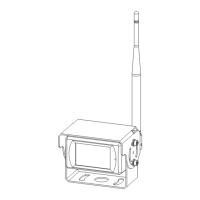
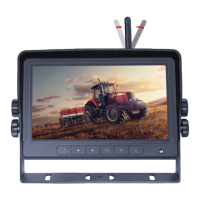
CAMERA SYSTEM MODEL EC7008-WK
OPERATING INSTRUCTIONS:
M
S
Digital Color LED Screen
Power
Menu
Record/Select Volume Decrease/Menu
Navigation
Volume Increase/Menu Navigation
Camera Channel Select
Dimming Sensor
Loudspeaker
U-Support Bracket Pedestal Mount Slot
Mini SD Card Slot
Remote
Control
Sensor
Ecante-5

 Need help?
 General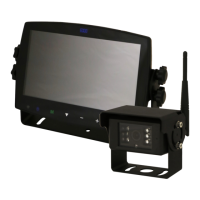

 To Next Page