Advanced Controller (EZ1202)
Provides convenient control of the lightbar’s built-in ash patterns and features soft touch buttons and LED function indicator lights.
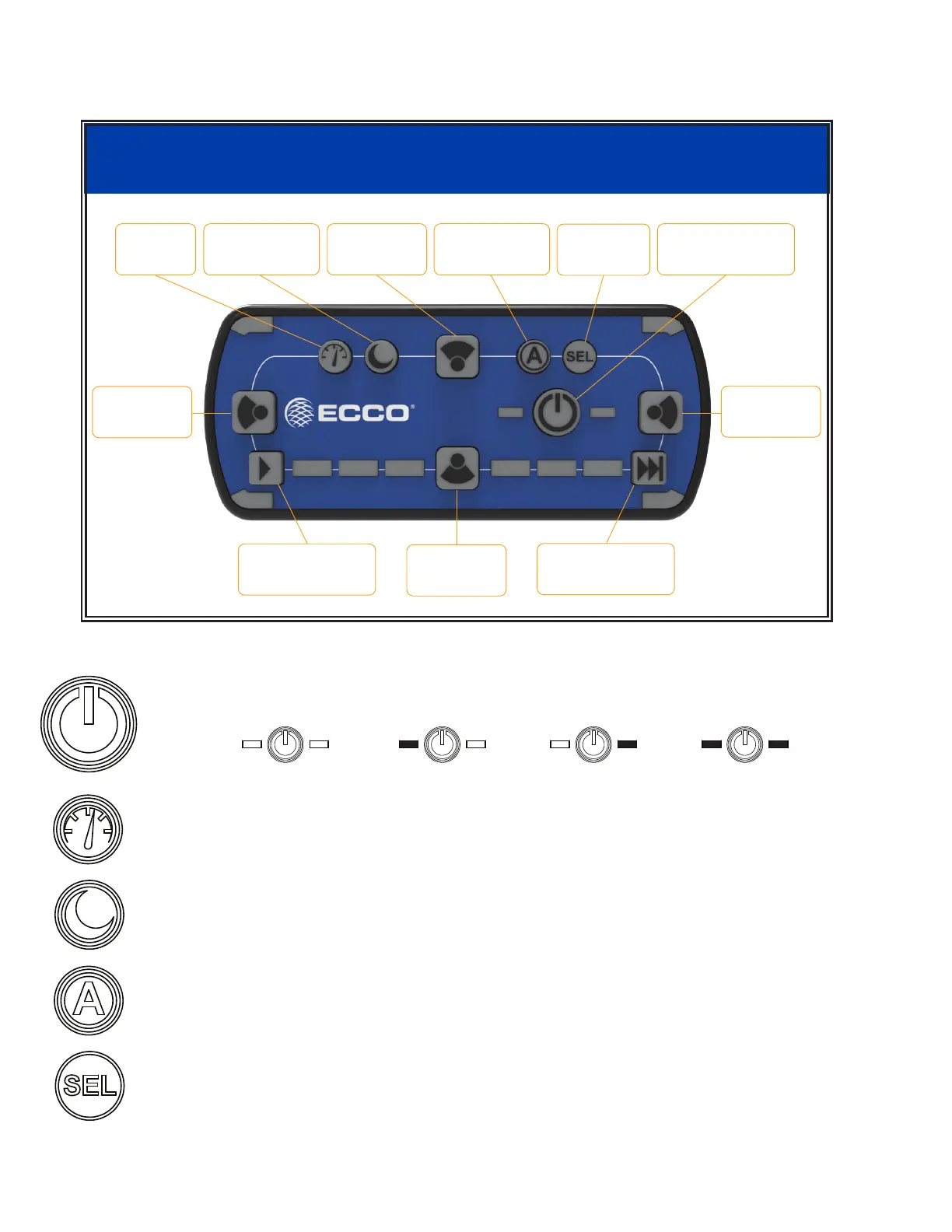
“Power” - Press to cycle through three programmable ash pattern presets. Hold button down to shut down all functions.
Press again to resume.
O Pattern 1 Pattern 2 Pattern 3
“Cruise” - Press to illuminate all directional modules in steady burn mode.
“Dim Mode” - Toggle press to dim standard ash patterns. Note, this mode will not dim takedown, alley and worklights.
Long-press this button for two seconds to activate or deactivate backlighting on the contrl head.
No Functionality
“Flash Pattern Select” - First, select Pattern 1, 2 or 3 to program by pushing the Power Button.
Next, double press to enter ash pattern select mode and cycle one ash pattern. The 4 corner
LEDs on the controller will mimic the lightbar to give pattern feedback. Press again once to cycle
to the next ash pattern. Press and hold for 3 seconds to return to the prior ash pattern. The
lightbar will store the last ash pattern used to the active preset. After 30 seconds of inactivity
in Select mode, the control head will automatically exit Select mode.
Page 8 of 14
12+ PRO ADVANCED CONTROLLER FUNCTIONS
P/N EZ1202
ECCOESG.com
Cruise
Dim
Back Lighting
Take Down
Front Cut
Functionality
Select
Program
Flash Patterns
Right Alley
Right Cut
Flash Pattern 1
Flash Pattern 2
Flash Pattern 3
Left Alley
Left Cut
Safety Director
On/Off
Work Light
Rear Cut
Safety Director
Pattern Select
Toggle Press / Press for 2 Seconds
No


 To Next Page
 Loading...