C - 20 HDMI Audio Configuration
Volume Adjustment
The sound volume level
can be clicking using the
volume control icon
in the notification area
of the taskbar.
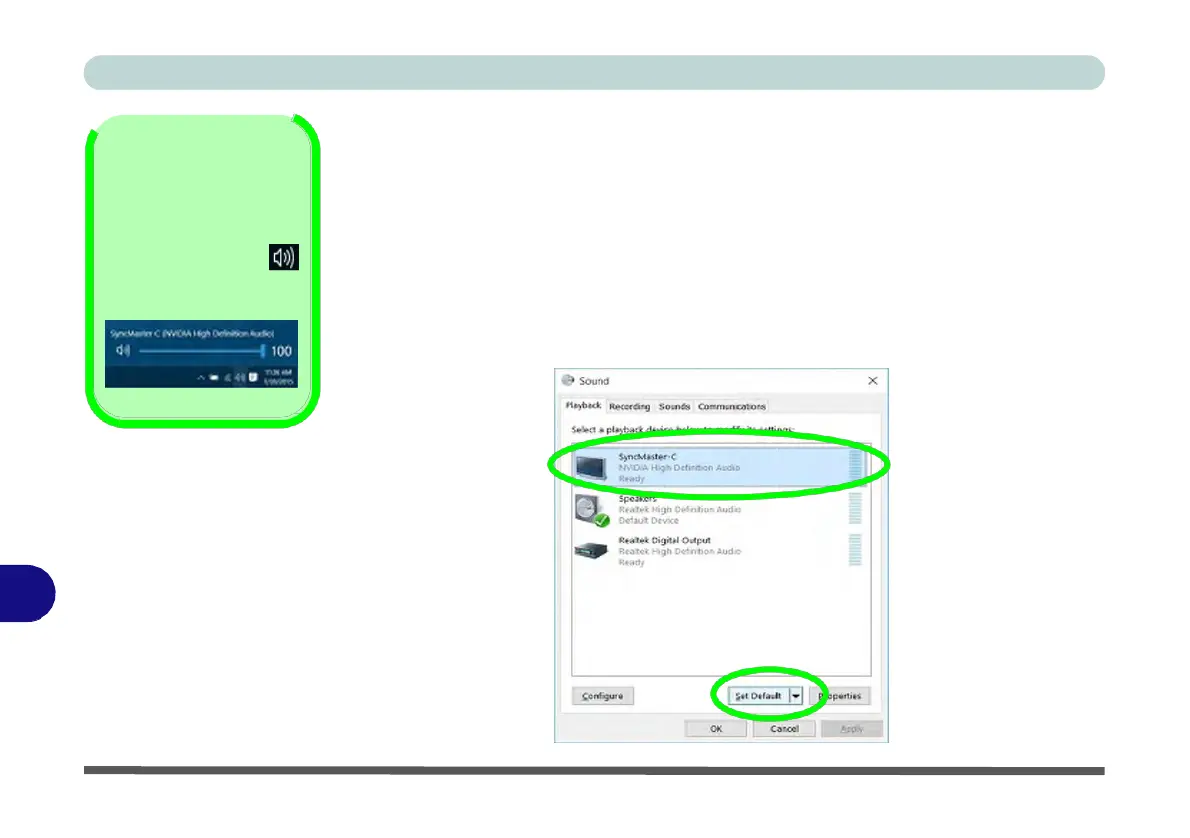
Figure C - 19
Sound -
HDMI
Device (set
Default)
HDMI Audio Configuration
HDMI
(High-Definition
Multimedia Interface) carries both audio and video signals.
In some cases it will be necessary to go to the Sound control panel and manually
configure the HDMI audio output as per the instructions below.
1.
Go to the Sound control panel.
2.
Click Playback (tab)
3.
The playback device will be selected.
4.
You may need to select the audio device and click Set Default (button).
5.
Double-click the device to access the control panel tabs.
C


 To Next Page
 Loading...