Storage Devices, Mouse, & Audio
2 - 10 Touchpad and Buttons/Mouse
2
TouchPad Scrolling
This computer model se-
ries may feature different
TouchPad versions.
These TouchPads may
differ in their vertical
scrolling function in most
scrollable windows.
Some TouchPads require
sliding the finger up and
down on the right of the
TouchPad to scroll the
window. Other versions
require tapping/holding
down the finger at the top
right or bottom right of the
TouchPad to scroll the
window.
Figure 2 - 6
Touchpad
Sensitivity
Touchpad Sensitivity
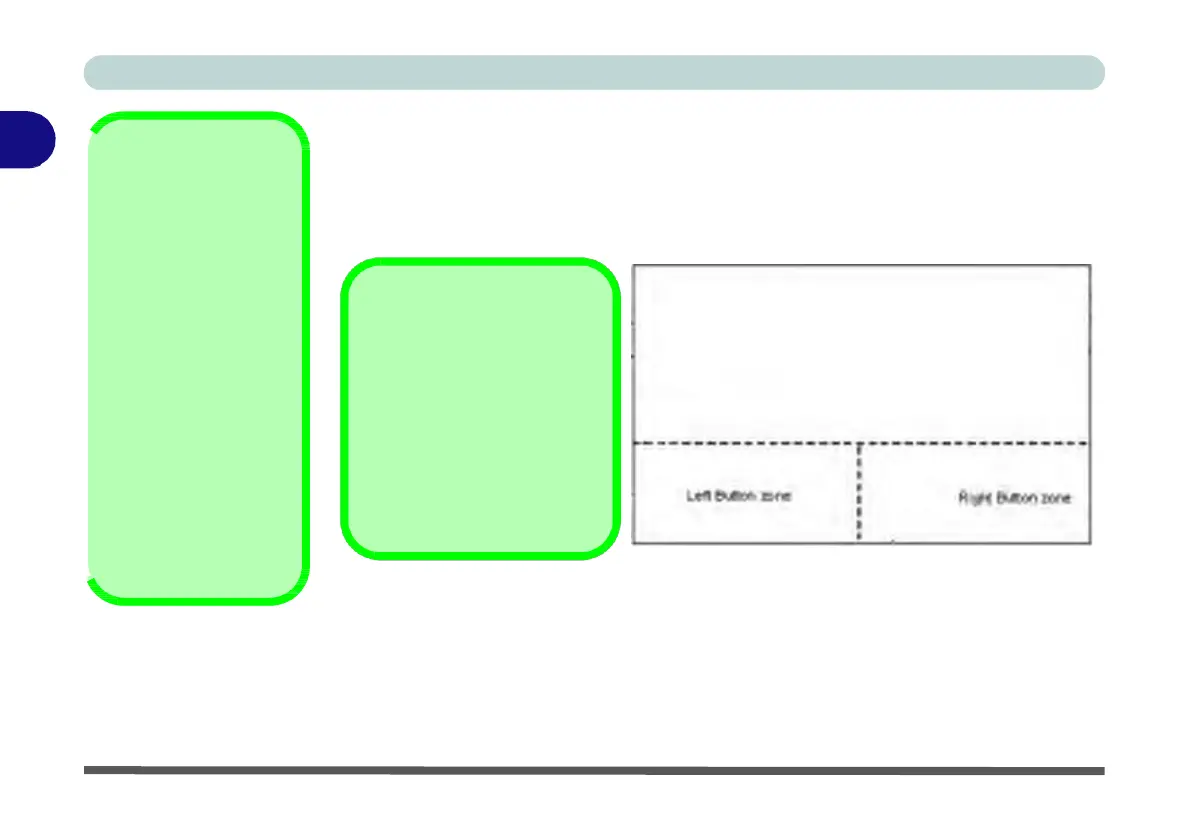
The mouse button zones at the bottom of the pad measure about 15mm from the
bottom of the pad, and the left and right
buttons
are divided roughly down the mid-
dle as illustrated below. Press the left button zone for a left click, and right button
zone for a right click action.
Mouse
Driver
If you are using an external
mouse your operating system
may be able to auto-configure
your mouse during its installa-
tion or only enable its basic
functions. Be sure to check
the device’s user documenta-
tion for details.


 To Next Page
 Loading...