Page | 4
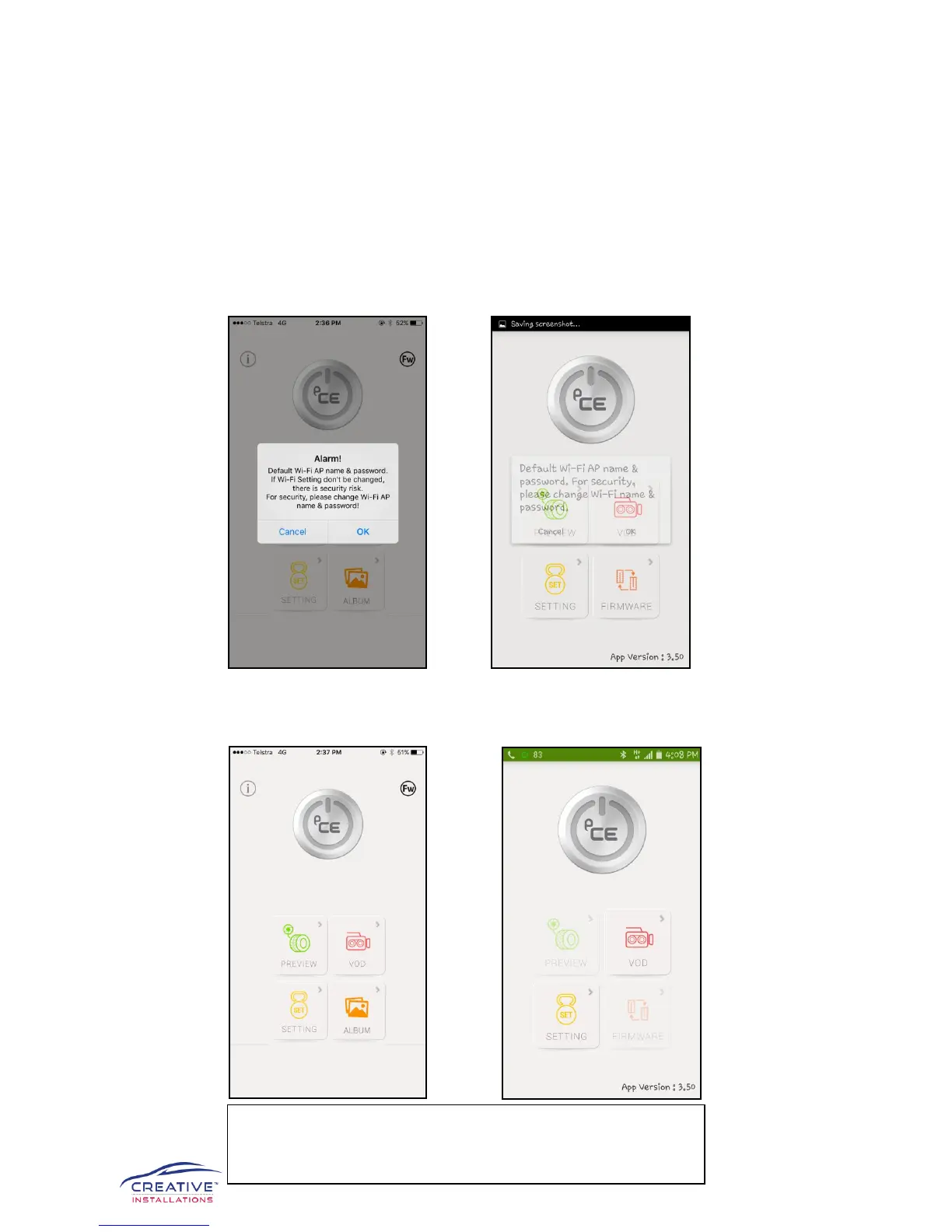
4) Now that you have established the Wi-Fi connection between your Apple or Android
device and the eCELL Focus Black Box HD Dash Cameras, open the e-FOCUS app.
You will be prompted to change the wireless name (i.e. – from FOCUS to one of your
choosing) and password (i.e. – from 12345678 to one of your choosing that is more
secure). We highly suggest you do this to avoid others having access to your footage.
*Please note if you forget your password you must seek help from the manufacturer.
Apple Android
5) The e-FOCUS app is now ready to use, enjoy!
Apple Android
*It is advisable to allow the dash camera system at least 30
seconds when starting your car to ensure the system is running
and recording correctly


 To Next Page