EasyManua.ls Logo

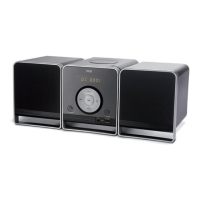
ECG XENON C 122 - User Manual

ECG XENON C 122
52 pages
Go to English
Print Icon
To Next Page IconTo Next Page
Loading...
CD MIKROSYSTÉM
VOD K OBSLUZE
CZ
CD MIKROSYSTÉM
VOD NA OBSLUHU
SK
MINIWIEŻA CD
INSTRUKCJA OBSŁUGI
PL
CD MIKRO HIFI RENDSZER
HASZNÁLATI ÚTMUTA
HU
CD-MIKROSYSTEM
BEDIENUNGSANLEITUNG
DE
CD MICROSYSTEM
INSTRUCTION MANUAL
EN
Před uvedením výrobku do provozu si důkladně pročtěte tento návod a bezpečnostní pokyny, které jsou v tomto návodu obsaženy. Návod musí
t vždy přiložen k přístroji. Pred uvedením výrobku do prevádzky si dôkladne prečítajte tento návod a bezpečnostné pokyny, ktoré sú v tomto
návode obsiahnuté. Návod musí byť vždy priložený kprístroju. Przed pierwszym użyciem urządzenia prosimy ouwne zapoznanie się zinstrukcjami
dotyczącymi bezpieczeństwa iużytkowania. Instrukcja obsługi musi być zawsze dołączona. A termék használatba vétele előtt  gyelmesen olvassa el
ezt a használati útmutatót és az útmutatóban található biztonsági rendelkezéseket. A használati útmutatót tartsa a készülék közelében. Bitte lesen Sie
vor der Inbetriebnahme des Produktes diese Anleitung und die darin enthaltenen Sicherheitshinweise aufmerksam durch. Die Bedienungsanleitung muss
dem Gerät immer beigelegt sein. Always read the safety&use instructions carefully before using your appliance for the  rst time. The user´s manual
must be always included.
XENON C 122

Questions and Answers

  • N
    nicole53Aug 10, 2025
    Why is my ECG XENON C 122 remote controller not working?
    • D
      Donald PetersAug 10, 2025
      If your ECG Stereo System remote controller isn't working, first, ensure you have inserted two AAA/1.5 V batteries or replace the dead batteries with a new set. Then, make sure the remote controller is pointed directly at the remote controller sensor and is within operational range of the device. If the device is turned off, turn it off and unplug it from the socket, then turn it back on.
  • J
    Joseph LittleAug 17, 2025
    What to do if my ECG XENON C 122 stops working after connecting a USB device?
    • C
      Carrie BaldwinAug 17, 2025
      If your ECG Stereo System stops working after connecting a USB device, it might be because the device is not a certified type. The system doesn't play uncertified USB devices. Turn off the player, unplug the power cord, remove the USB device, and then plug the power cord back in. The device should then work normally.
  • C
    carrieallisonAug 22, 2025
    How to fix ECG XENON C 122 buttons that do not work?
    • L
      Lisa SnyderAug 22, 2025
      If the buttons on your ECG Stereo System aren't responding, it might be due to interference from static electricity. To resolve this, turn the device off, unplug it from the socket, plug the power cord back in, and then turn the device back on.
  • D
    Daniel SmithAug 29, 2025
    What to do if my ECG XENON C 122 has no sound or distorted sound?
    • J
      Joy RussellAug 29, 2025
      If your ECG Stereo System is not producing sound or the sound is distorted, check that the audio cables are correctly connected. Also, make sure the volume isn't set to the minimum; increase it if necessary. Additionally, verify that the sound isn't muted by pressing the MUTE button on the controller to activate the sound. If it still doesn't work, press PLAY/PAUSE.
  • S
    Susan HolderSep 3, 2025
    Why my ECG Stereo System cannot play a disk?
    • K
      Kimberly ThomasSep 3, 2025
      If your ECG Stereo System cannot play a disk, ensure the disk is inserted correctly with the label facing upward. Also, check if the parent lock classification coded on the disk is higher than the parent lock level set on the device; if so, change the parent lock settings. Finally, clean the disk if it is contaminated.

ECG XENON C 122 Specifications

General IconGeneral
Number of Discs1
DisplayLCD
USBYes
Headphone OutputYes
Playable formatsMP3
RadioFM
Power Supply50 Hz

Related product manuals