USER MANUAL
PAGE 5 OF 12
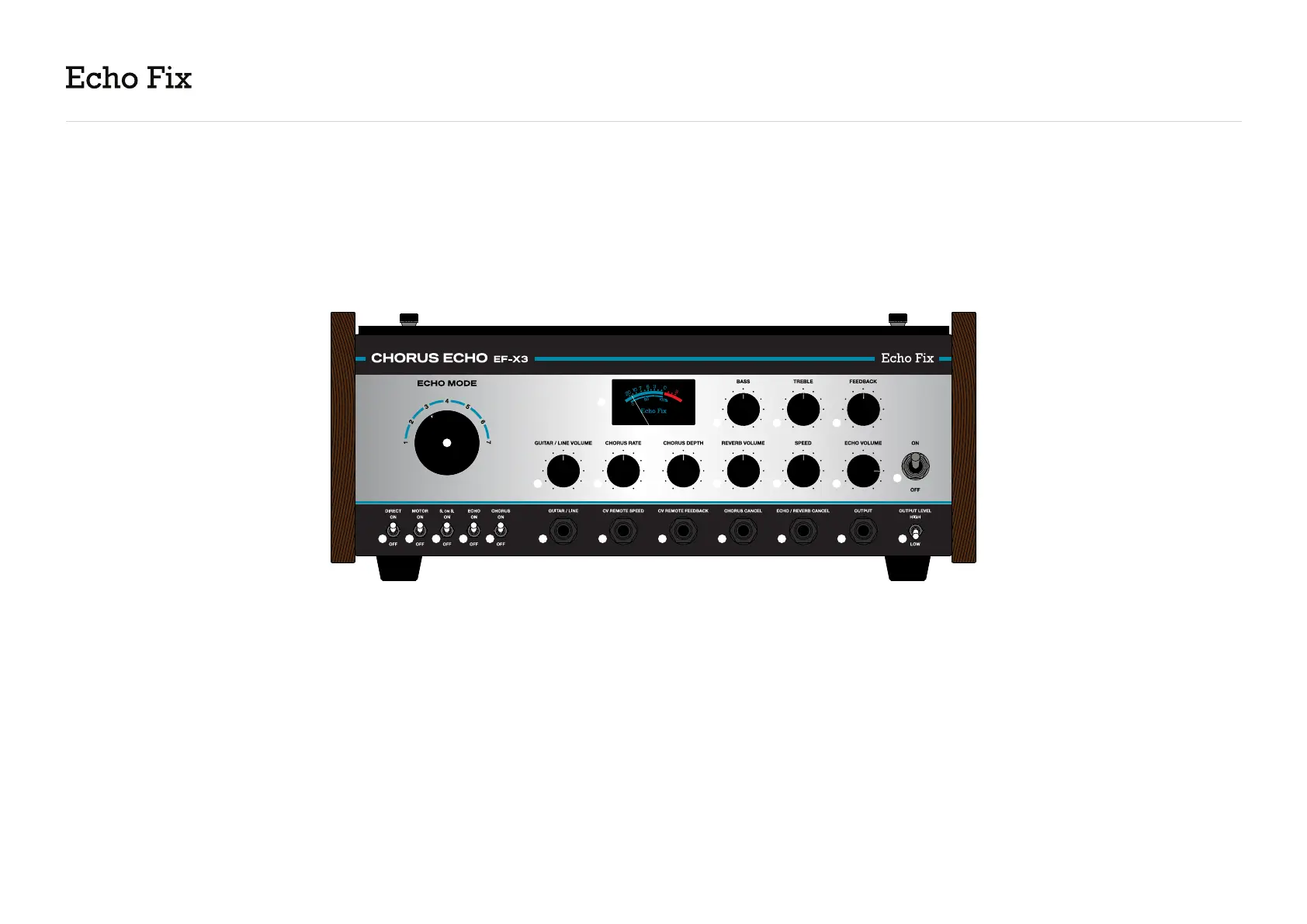
A. Direct ON/OFF Switch - Switches the direct
signal ON or OFF. For traditional echo operation
(wet + dry signal), set to “ON”. For wet-only, set to
“OFF”.
B. Motor ON/OFF Switch - Allows you to turn
the tape drive motor ON or OFF. This is useful
for achieving slow down/tape stop effects or
increasing tape life when using the EF-X3 as a
preamp or reverb/chorus effect only.
C. Sound On Sound ON/OFF Switch - Activates
the fourth playback head, positioned to achieve
the longest possible delay time. The S. on S. head
functions independently of the Echo ON/OFF
switch.
D. Echo ON/OFF Switch - Disables playback heads
1, 2 and 3. Also turning off switch (C) allows you to
use the unit as a preamp or reverb/chorus effect
only. We recommend turning “Echo Volume” (S) all
the way down when using the unit in this way.
E. Chorus ON/OFF Switch - Activates the chorus
effect.
F. Guitar / Line - A dedicated instrument-level
input with a vintage FET EP style preamp circuit
(1MΩ input impedance). Input gain is
controlled by (N). Front input controls do not affect
rear balanced XLR input.
UNDERSTANDING THE EF-X3
FRONT PANEL
2
A B C D E F G H I J K L
T
SRQ
V W X
PON
M
U
CHORUS ECHO EF-X3


 To Next Page