USER MANUAL
UNDERSTANDING THE EF-X3R
REAR PANEL
4
PAGE 8 OF 12
CHORUS ECHO EF-X3R
Serial No:
000000
A B
C D E F
I
J
K
L
H
G
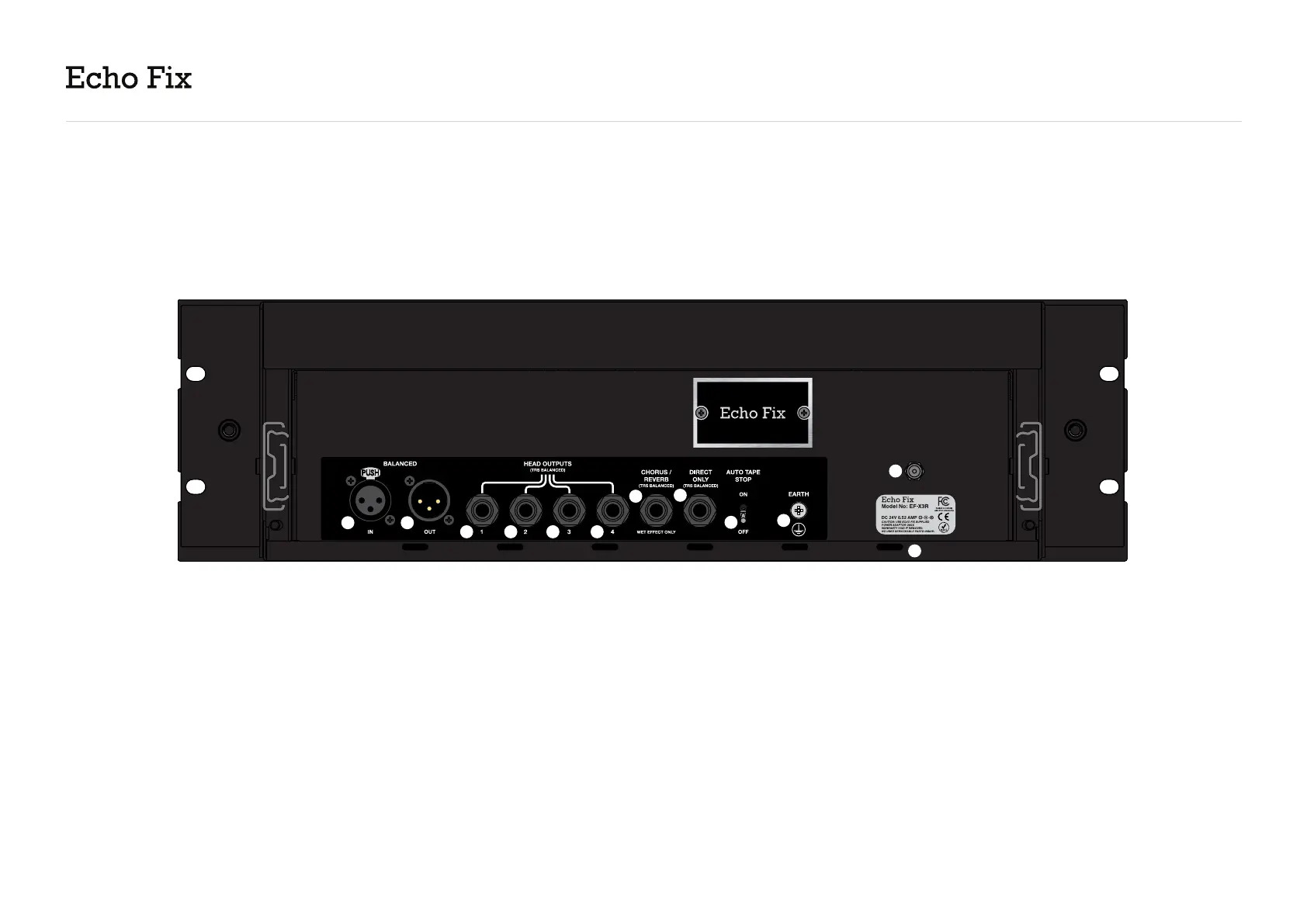
A. Balanced XLR Input - Line level input. This input
can be used in addition to the input on the front.
The Guitar / Line Volume knob does not affect this
level.
B. Balanced XLR Output - Line level output.
C - F. Individual Head Outputs - 4 TRS balanced
head outputs provide access to the signal from
each of the 4 playback heads. These can be mixed
and panned with a mixing desk or DAW to create a
variety of echo effects.
G. Chorus / Reverb Output - Provides access to
the wet effect only. In the case of the Chorus effect,
wet-only results in a vibrato effect.
H. Direct Only - Provides access to a duplicate
direct signal after the EF-X3R preamp.
I. Auto Tape Stop - If set to ON, the motor
and roller arm will disengage after 4-5mins of
not receiving signal. This increases tape life and
reduces wear on the motor and tape heads. You
can disable this feature by switching it to OFF.
J. Earth Point
K. DC Jack - Use Echo Fix provided power supply.
L. Cable Management Loops - Connect cable
management straps (not included) to organise your
cables.


 To Next Page