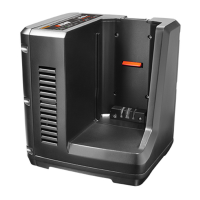
LC-56V4A
9992220581012
© 11/2021 ECHO Incorporated
If the battery does not charge correctly:
1. Examine the current of the power outlet with different machines. Make
sure that the outlet works.
2. Assure that the charger contacts are not short-circuited.
3. If the charger is not under usual room temperature, move the charger and
battery to a location where the temperature is between 6 ˚C (42.8 °F) and
40˚C (104 °F).
Examine The Charger
OPERATION
Incorrect Defect Note:
1. Put the battery into the charger.
• If the status LED1 ashes red, remove the battery from the charger for 1
minute.
2. Put the battery into the charger again.
• If the status LEDs show correct, the battery is good.
• If the status LED1 stays blinking red, remove the battery and disconnect
the charger.
3. Wait for 1 minute and put the battery into the charger again.
• If the status LEDs show correct, the battery is good.
• If the status LED1 stays blinking red, the battery is defective and it is
necessary to replace the battery.
If you put the battery into the charger in warm or hot environment,
the charger LED light is red. Pull out the battery and let the battery
cool for approximately 30 minutes.


 To Next Page