17
Adjustments
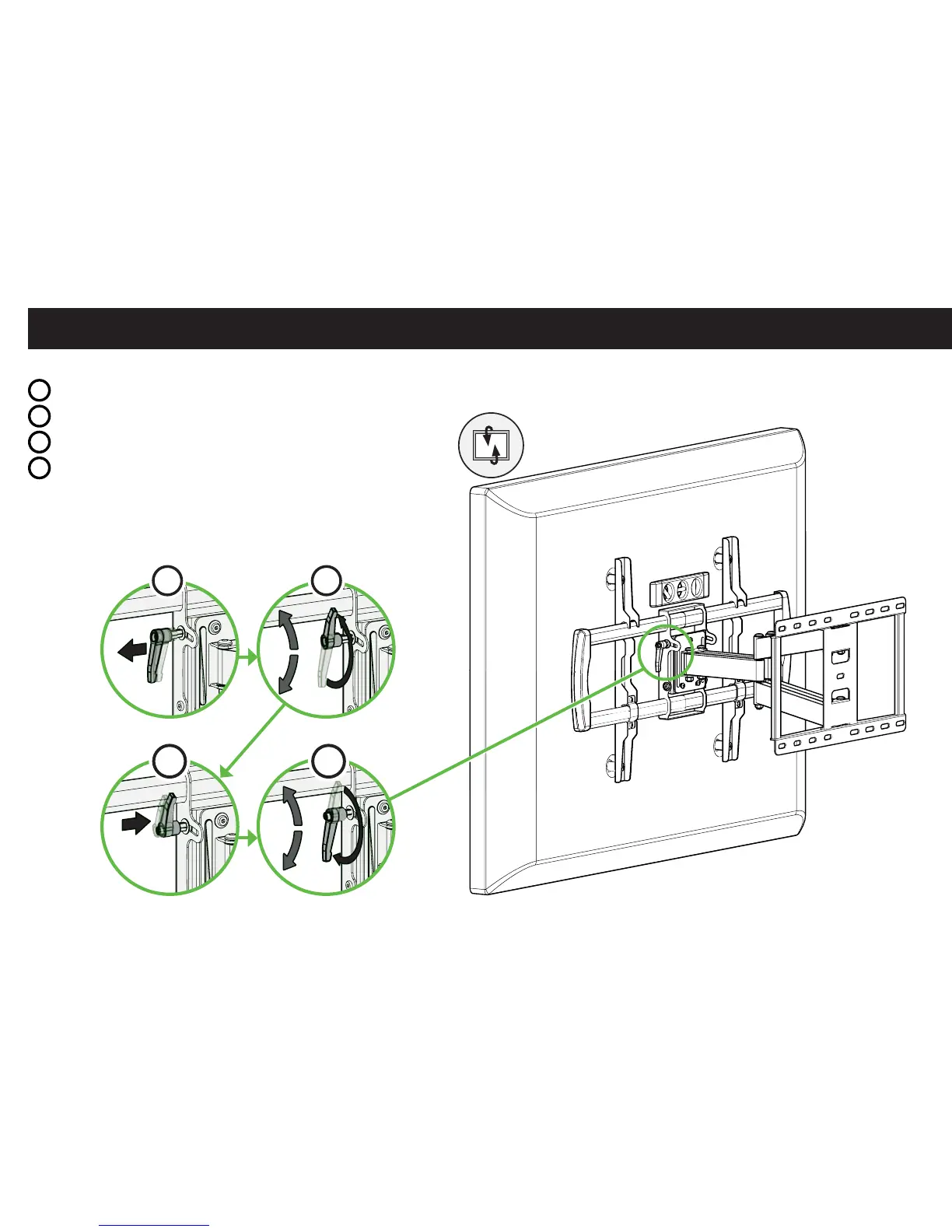
TO ADJUST THE TILT, fi rst rotate (loosen or tighten) the tilt lever as far as you can, then:
a
Pull and hold the lever outward,
b
Rotate the lever in the opposite direction,
c
Release the lever back into position,
d
Rotate the lever to tighten or loosen.
Repeat as needed.
LOOSEN: to adjust the TV tilt position.
TIGHTEN: to set the TV in place at your desired tilt angle.
a
b
d
c


 To Next Page