Need help?
Do you have a question about the Echomaster MRC-HDDVR and is the answer not in the manual?
Lists all components provided in the package, such as the mirror monitor and backup camera.
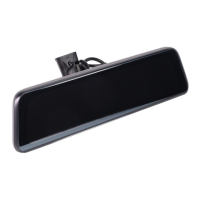
Details the technical specifications and capabilities of the mirror monitor unit.
Outlines the specifications and performance aspects of the backup camera.
Instructions for correctly inserting and removing the memory card for the device.
Step-by-step guide to remove the original mirror and install the new replacement mirror.
Guidance on selecting and fitting specific adapter brackets for different vehicle makes.
Procedures for mounting the backup camera either on the license plate or rear windshield.
Instructions for correctly connecting the power cables and wiring for the dash cam.
Information on how to turn the mirror monitor on and off.
Detailed guide to adjust various system settings like language, speed, and time.
How to manage screen saver settings and activate driving mode for speed display.
Operation of reversing mode and manual adjustment of parking assist grid lines.
Details on loop recording, automatic emergency recording, and parking monitoring.
Information on how the GPS system captures speed, location, and coordinates.
Instructions for installing playback software and playing recorded video files.
Solutions for common problems like crash issues, blank screens, and time errors.
Troubleshooting steps for video recording failures and memory card errors.
 General
| Brand | Echomaster |
|---|---|
| Model | MRC-HDDVR |
| Category | Automobile Accessories |
| Language | English |

 To Next Page