Please note that this manual may be updated without prior notice. If you
are reading this manual in PDF format, please note that you can access
it online at EcoFlow Support for a better experience and the latest
updates.
Overview
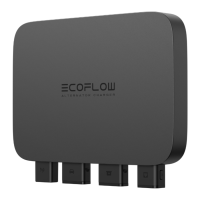
1 Antenna
Communicates with EcoFlow app via Bluetooth or Wi-
Fi.
2 Vehicle Battery Port
Connected to the vehicle starter battery or RV house
battery via the Input Cable.
3
Portable Power
Station Port
Connected to the portable power station or extra
battery via the XT150 Output Cable.
4
COM
Communication Port
Preset port. Stay tuned.
Overview
LED Indication
Wire Up Your Charger
Wiring Steps
Compatibility
Environmental Requirements
Install Your Charger (Optional)
Getting Started
Power On/Off
Bind Your Charger
How to Switch Mode and State
Charge Mode
Battery Maintenance Mode
Reverse Charge Mode
How to Unplug Cables
Troubleshooting
Maintenance
Cable Replacement
What's in the Box
Specifications
Safety Instructions

 Need help?
 General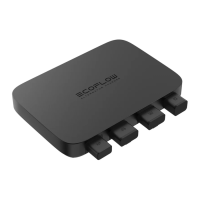

 To Next Page