+ Main power bu'on indicator $! IOT bu'on
!, USB#C !,,W output port $$ Pairing bu'on
!! AC charge speed switch $" Bluetooth standby switch*
!$ Solar/car charging input port $% Infinity port
AC output sockets: The types of AC sockets and AC charging cables vary in di-erent countries or regions. Please
refer to the actual product.
Bluetooth standby switch: After the Bluetooth standby switch is turned on, DELTA Pro still works with the main
power bu'on turned o-, use EcoFlow app or remote control (sold separately) to turn on/o- the product (Bluetooth
standby has a certain amount of power consumption, please turn it o- if you don’t need to remotely control the
product).
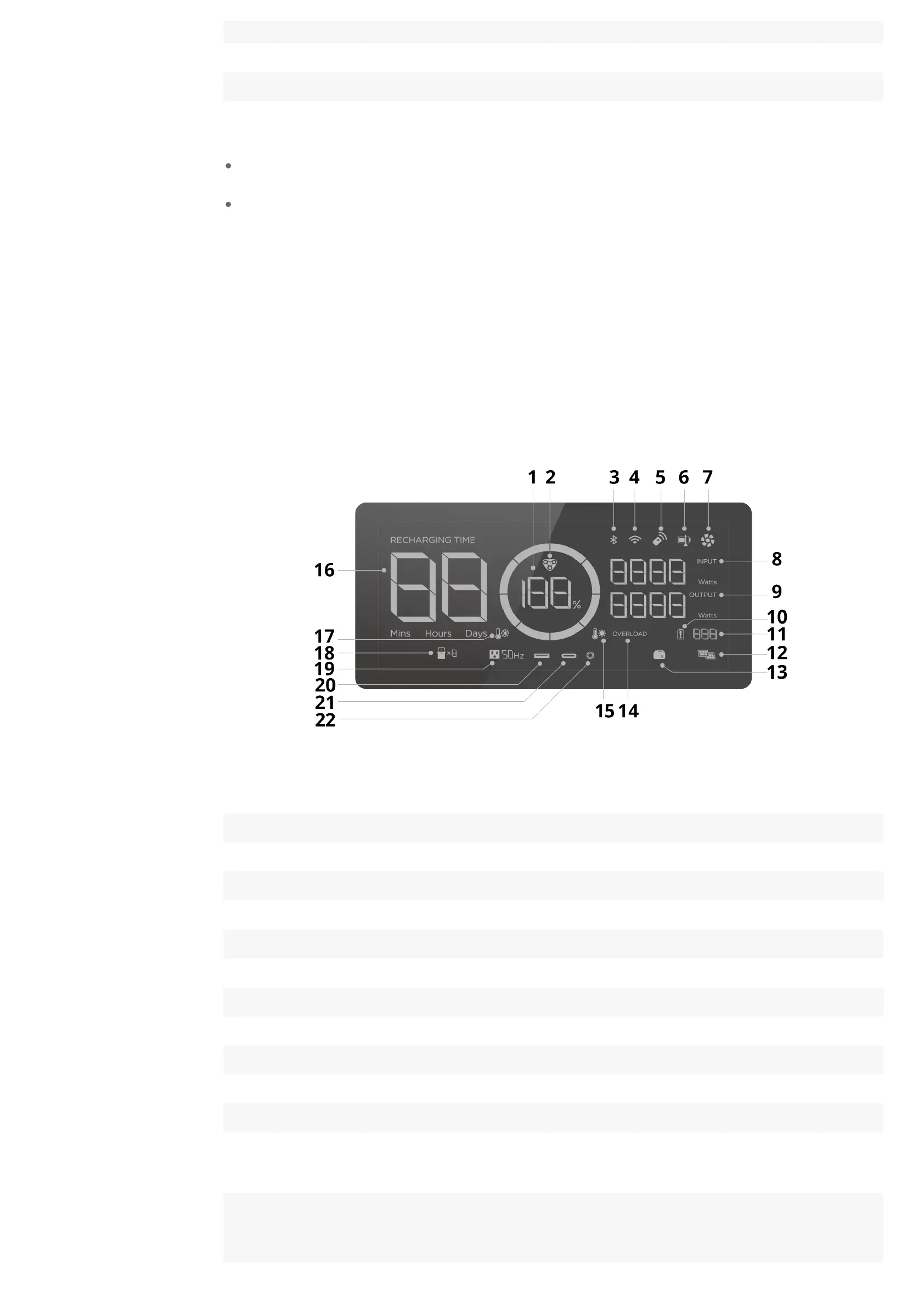
LCD ScreenLCD Screen
! Remaining ba'ery percentage* !$ Solar charging
$ EV X#Stream charging indicator !" Smart generator
" Bluetooth connection !% Overload warning
% WiFi connection* !& High temperature warning
& Remote control !( Remaining charge/discharge time
( State of charge !) Low temperature warning
) Fan indicator !* Extra ba'ery
* Input power !+ AC output
+ Output power $, USB#A output
!, Ba'ery failure warning $! USB#C output
!! Error code* $$ DC output
*Remaining ba'ery percentage
Rotating clockwise: charging
!,,%: fully charged
Flashing: flat ba'ery
*WiFi connection
Flashing:
!) the product is ready for pairing;
$) pair with the product via hotspot on your phone
Solid: Internet connection succeeded








 To Next Page