EN
14
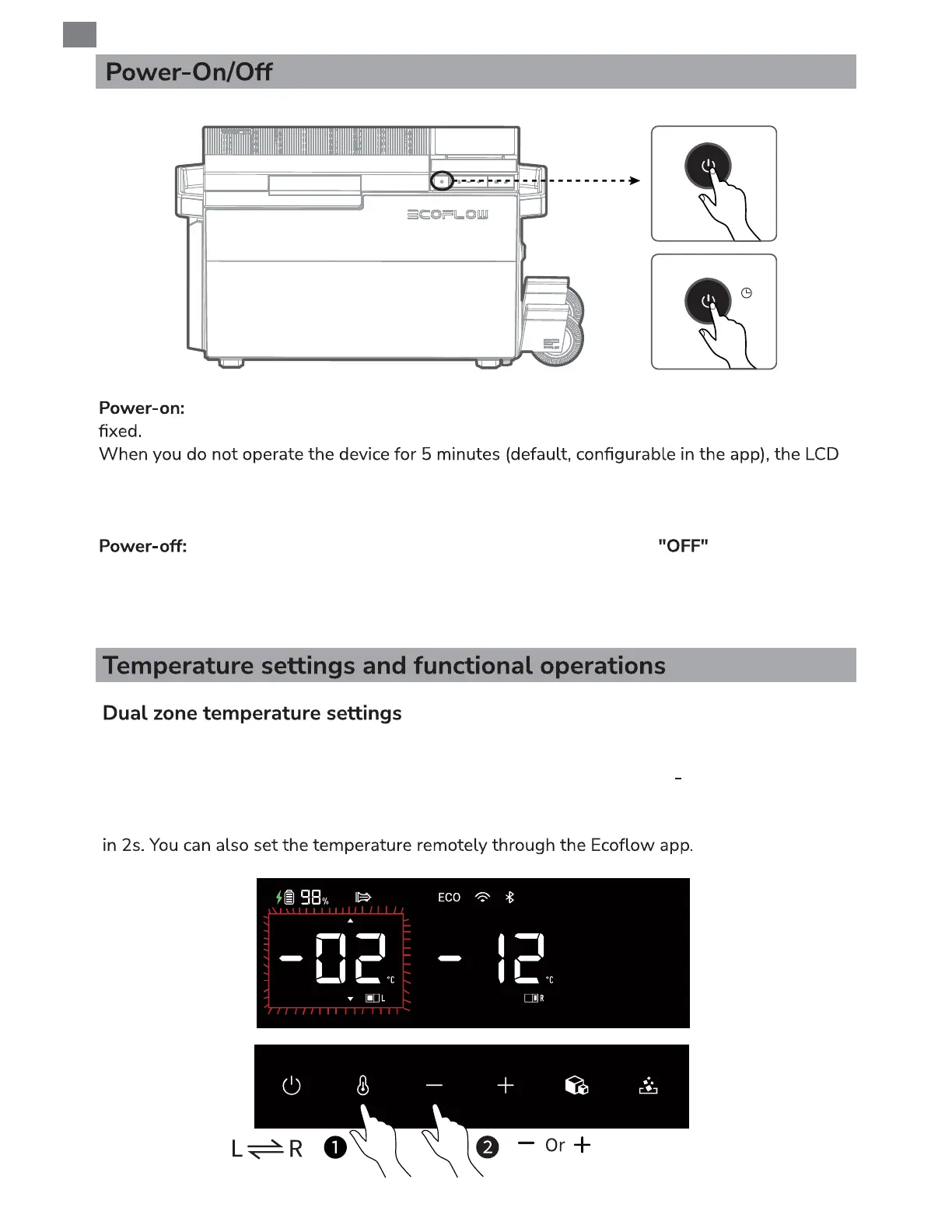
Press the power button to turn on the device. The general power indicator becomes
will automatically turn off. When you operate the product, the LCD will be automatically lit.
To manually turn off the LCD, press the power button. To manually turn on the LCD, press any
button.
Press and hold the power button for 3s. The LCD displays for 3s. Then, the
refrigerator is turned off. You can also turn off the refrigerator remotely through the app.
When this product is connected to a power source, it can charge the connected EFBX100-EB
battery pack regardless of whether it is powered on or not.
Power-on
Power-off
After powering on the refrigerator, short press the temperature zone switching button
to select the desired zone, then the temperature digits blink. Press
+
or to adjust the
temperature or long press to quickly reach the desired temperature value: ±5°C; set another
zone temperature value in the same way. The setting is completed after there is no operation
Press
3s


 To Next Page