Need help?
Do you have a question about the EcoFlow Solar Tracker and is the answer not in the manual?
Lists all components included in the EcoFlow Solar Tracker package.
Step-by-step guide for assembling the main structure of the solar tracker.
Detailed instructions for the primary assembly of the solar tracker system.
Instructions for attaching foldable solar panels to the tracker assembly.
Instructions for attaching rigid solar panels to the tracker assembly.
Steps for taking apart the EcoFlow Solar Tracker for storage or transport.
Guidelines for safely moving the assembled solar tracker.
Operational guidance for using the solar tracker.
Guidance on orienting the solar tracker based on hemisphere for optimal sunlight.
Instructions for powering the solar tracker on and off.
Explains the function and location of the emergency stop button.
Details the different operating modes and sound indicators of the tracker.
Technical specifications of the EcoFlow Solar Tracker, including dimensions and capacity.
Information regarding the specifications of the built-in battery.
Describes the power status indicator light behavior.
Explains the battery level indicator lights.
The EcoFlow Solar Tracker is a device designed to optimize solar energy collection by automatically adjusting the position of solar panels to follow the sun's movement throughout the day. This intelligent tracking system aims to maximize the power output from connected solar panels, making solar energy more efficient for various applications, particularly with EcoFlow units.
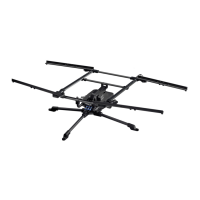
The core function of the EcoFlow Solar Tracker is to provide dynamic positioning for solar panels. It consists of a central control module, a light sensor, and motorized lever arms that facilitate movement along both pitch and yaw axes. The light sensor continuously monitors the intensity and direction of sunlight, feeding this data to the control module. Based on this information, the control module activates the motorized lever arms to orient the attached solar panels directly towards the sun. This continuous adjustment ensures that the solar panels receive the maximum possible solar irradiance, thereby increasing the overall energy yield compared to static panel installations.
The tracker supports both foldable and rigid solar panels, offering flexibility in setup depending on user preference and panel type. For foldable panels, the installation involves attaching the panels to the tracker's frame and connecting them via a 0.92ft solar charging cable to the tracker, and then using a 9.84ft solar charging cable to connect the tracker to an EcoFlow unit. For rigid panels, the setup requires detaching folding bars before attaching the panels and making the same electrical connections.
The device features a built-in battery that powers its operations. This battery can be recharged from the connected solar panels themselves, creating a self-sustaining system. Additionally, if the tracker is not in use for extended periods, the battery can be recharged via a USB-C port located on the control module.
Operation modes are designed to be intuitive and efficient. Upon powering on, the tracker enters a "Returning to the starting position" phase, followed by "Sleeping" or "Finding sunlight" modes depending on ambient light conditions. It can detect varying degrees of lightness—Minimal, Weak, Strong, and Super strong—and adjusts its tracking behavior accordingly. An emergency stop button is integrated into the control module, allowing for immediate cessation of motor movement in case of an unforeseen event.
The EcoFlow Solar Tracker is designed for ease of use, from assembly to daily operation.
Assembly and Installation: The assembly process is modular, starting with the base structure (L-FEMALE and L-MALE components), followed by the attachment of the control module, motorized lever arms, and various support bars (A1, A2, A3, A4, A5). Clear instructions are provided for both foldable and rigid solar panel installations. For foldable panels, the process involves securing the panels to the tracker's frame and connecting the necessary charging cables. For rigid panels, an additional step of detaching folding bars is required before panel attachment. The solar charging cables are provided in two lengths: a shorter one (0.92ft) for connecting the solar panel to the tracker and a longer one (9.84ft) for connecting the tracker to EcoFlow units.
Positioning: Proper initial positioning is crucial for optimal performance. The tracker has a 345° rotation capability, leaving a 15° blind spot. Users in the northern hemisphere are advised to position the front of the tracker towards the east with a slight northern tilt. Conversely, users in the southern hemisphere should position the front towards the east with a slight southern tilt. A compass, either a physical one or a phone application, is recommended for accurate directional guidance during setup.
Powering On/Off: The tracker is turned on or off by long-pressing the power button for 3 seconds. A long beep indicates successful power-on or power-off. When powering off, the stand automatically rotates back to its starting position before shutting down. It's important to note that the tracker will not power off if solar panels are still connected and receiving solar power, ensuring continuous operation as long as energy is available.
Operation Modes and Indicators: The tracker operates through several modes:
Light indicators provide visual feedback on the device's status:
Sound indicators complement the visual cues:
Transportation: The device is designed to be transported by two people, ensuring safe handling and preventing damage. It should not be carried by a single person or while in use.
To ensure the longevity and optimal performance of the EcoFlow Solar Tracker, several maintenance guidelines are provided:
Battery Maintenance: The built-in battery is a critical component. If the tracker is not used for an extended period, it is recommended to recharge the battery to 30-50% every 3 months. This helps preserve battery health and prevents deep discharge, which can reduce lifespan. The battery level can be monitored via the power status indicator lights or through the EcoFlow App. The battery can be recharged from solar power when in use, or via the USB-C port on the control module when stored.
Adhering to these maintenance and safety guidelines will ensure that the EcoFlow Solar Tracker remains a reliable and efficient tool for maximizing solar energy harvesting.
 General
| Compatibility | EcoFlow DELTA Pro, DELTA Max, DELTA 2, RIVER 2 Pro, and other EcoFlow power stations |
|---|---|
| Tracking | Dual-axis |
| Operating Temperature | -20°C to 50°C |
| Rotation Angle | Vertical: 90° |
| Communication | Bluetooth |

 To Next Page