9
ENGLISH
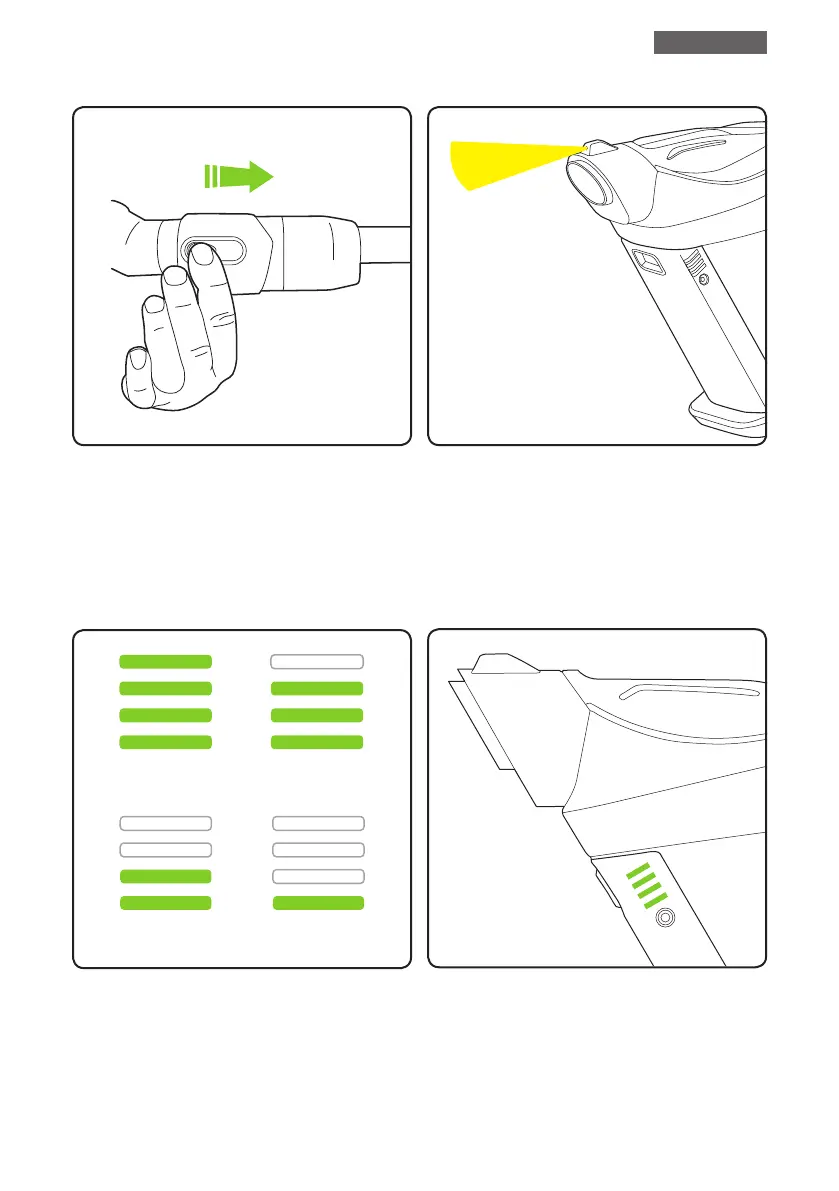
State of Charge
LED Headlights
The battery state of charge indicator shows
how much charge the Gtech Pro has. As
you use the product, the green lights will
turn off in a downwards direction.
There is a headlight on top of the Gtech Pro
to illuminate the area being cleaned.
While the battery is on charge, the LEDs
will pulsate and in turn illuminate. When the
battery is fully charged all of the LEDs will be
solid green.
100% - 75% 75% - 50%
50% - 25% 25% - 1%
Removing attachments
To remove the extension tube and oor
head, press the buttons on the sides of the
attachments and pull it away from the unit.


 To Next Page