EasyManua.ls Logo

ECOLOBLUE 30 Series - User Manual

ECOLOBLUE 30 Series
42 pages
Print Icon
To Next Page IconTo Next Page
Loading...
1
www. EcoloBlue.com | 800-691-6043 | 1-925-231-0206
EcoloBlue
30 Series
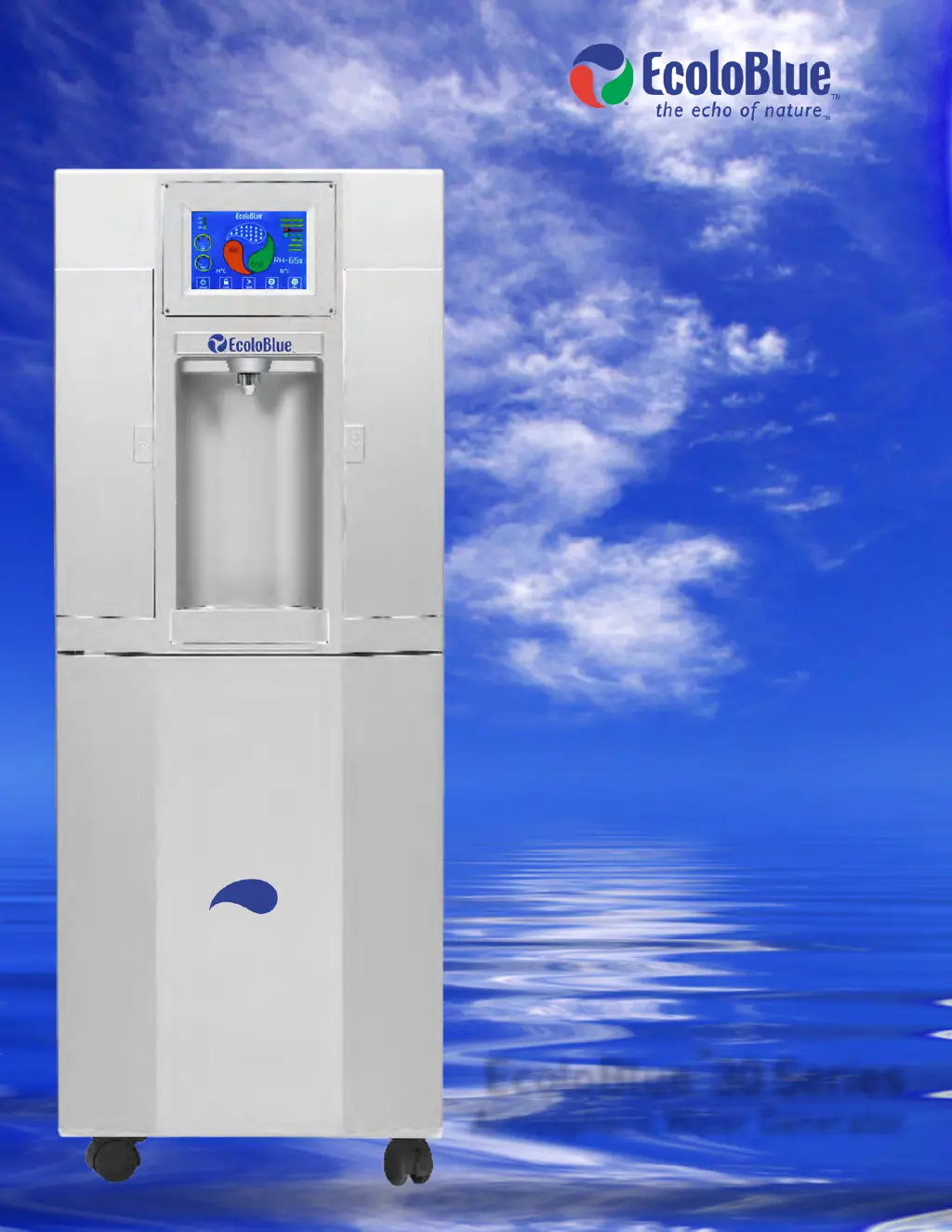
Atmospheric Water Generator

Questions and Answers

  • C
    Christopher BennettAug 15, 2025
    What to do if my ECOLOBLUE 30 Series Water System is not working after plugging it in?
    • M
      Mark MartinezAug 15, 2025
      If your ECOLOBLUE Water System isn't working after being plugged in, check the facility's circuit breaker and test the outlet with another device to ensure it's active. Also, confirm that the voltage supplied to the outlet is within the correct operating range for the device. Ensure the plug connection to the wall outlet is secure and the cable isn't damaged.
  • M
    Megan GonzalezAug 18, 2025
    Why is the water output from my ECOLOBLUE Water System faucet so slow?
    • M
      Miss Michelle KochAug 18, 2025
      A slow water output from your ECOLOBLUE Water System faucet may be due to a clogged filter. Try cleaning the mesh inside the nano/faucet filter, or replace it with a new one. Additionally, perform sanitation of the top tank. Also, ensure that you squeeze the hoses housed in black foam to release any blockage.
  • M
    Mark DunlapAug 21, 2025
    Why does my ECOLOBLUE Water System make water so slowly?
    • M
      Michael GatesAug 21, 2025
      A slow water production rate in your ECOLOBLUE Water System can be attributed to several factors: low humidity levels in the room, a blocked air filter or exhaust, insufficient distance between the appliance and other objects (should be at least 12 inches), incorrect power voltage (too low or too high), a malfunctioning internal booster pump (check by filling the bottom tank and ensuring water pumps to the top), or a dirty air filter fabric. Clean the air filter fabric regularly to ensure free airflow.
  • A
    Antonio TaylorAug 25, 2025
    How to fix the 'REPLACE' indicator on my ECOLOBLUE Water System?
    • E
      Emily BushAug 26, 2025
      If the 'REPLACE' indicator is illuminated or blinking on your ECOLOBLUE Water System, it likely means the filters are clogging after approximately 6 months of operation. Replace them with new ECOLOBLUE filters and reset the filtration warning time.
  • C
    Cody DavisAug 28, 2025
    Why is my ECOLOBLUE 30 Series only dispensing ambient temperature water?
    • J
      Jennifer SimmonsAug 28, 2025
      Your ECOLOBLUE Water System may only be dispensing ambient temperature water because the heating function activates only when the top tank water level on the screen is at level two or higher. The cooling function activates only when the top tank water level on the screen is at level three or higher. Ensure the appliance operating temperature level is in the appropriate range.
  • A
    amandachandlerAug 31, 2025
    What does it mean when the UV warning indicator blinks on my ECOLOBLUE 30 Series Water System?
    • C
      Christopher BrownAug 31, 2025
      If the UV 1, 2, or 3 lightning bolt or UV WARNING indicator blinks and you hear 3 long beeps, exercise caution due to potential UV eye hazard. Wear UV-absorbing sunglasses if available and avoid prolonged viewing into the tank to check the bulb's operation. If UV 1 or 3 is blinking, make the bulb viewable. Check the electrical wire to ensure it is plugged in. Restart the machine to test; if the bulb doesn't illuminate, it needs replacement. If UV 2 is blinking, make the bulb viewable. Check the electrical wire, and test by dispensing water; if it doesn't illuminate, replace it.
  • J
    Joseph RothSep 4, 2025
    What to do if my ECOLOBLUE 30 Series smells like it's burning?
    • T
      thomasjesseSep 4, 2025
      If you notice a burning smell from your ECOLOBLUE Water System and the hot temperature indicator has exceeded the preset temperature point, immediately turn the power OFF and unplug the power cord. If draining, stop immediately. Wait 20 minutes for the unit to cool down. Then, plug the appliance back in and turn the power ON. If the hot temperature indicator reads normally, you can continue draining.
  • K
    Katherine GreenSep 7, 2025
    Why is my ECOLOBLUE 30 Series Water System vibrating so much?
    • O
      Oscar GeorgeSep 7, 2025
      Excessive vibration or noise from your ECOLOBLUE Water System could be due to an object placed on top of the appliance or on the drip tray. Ensure that there are no objects on top of the Appliance or on the drip tray.
  • K
    Kelly RamosSep 12, 2025
    What to do if water won't drain from my ECOLOBLUE Water System's hot water drain?
    • J
      jenniferlawrenceSep 12, 2025
      If water isn't draining from the Hot Water Drain when flushing the top tank and hot tank of your ECOLOBLUE Water System, make sure the rubber plug inside the water drain outlet is removed.

Summary

Understanding Your EcoloBlue 30 Series

How the Generator Works

Explains the humidity and temperature-driven operation of the generator.

Key Features and Components

Details energy saving, safety lockouts, UV treatment, filtration, and internal parts.

Display and Controls Overview

Explains the touch screen display icons, indicators, and button functions.

Installation and Setup Procedures

Preparation, Location, and Checklist

Covers placement, ventilation, initial stand-by, and installation steps.

Filter Installation and System Flushing

Guides on installing RO filters and flushing the system before use.

Connecting to Municipal Water

Details connecting the generator to a city water supply for purification.

Operating and Maintaining Your EcoloBlue Generator

Basic Operation: Power, Dispensing, and Temperature Control

Instructions on powering, dispensing water, and managing heating/cooling.

Routine Maintenance and Cleaning Tasks

Covers general tips, cleaning air filters, water collector, and bottom tank.

Part Replacement Procedures

Guides for replacing filters and UV lamps in the appliance.

Sanitizing the Water System

Explains the process for sanitizing the unit using a peroxide solution.

Optional Carbonation Feature

Step-by-step guide for adding carbonation to water using the 30s model.

Troubleshooting and Technical Information

Common Issues and Solutions

Addresses UV warnings, power issues, display errors, and water output problems.

Technical Specifications and Performance

Lists electrical, physical, and performance specifications for the generator.

ECOLOBLUE 30 Series Specifications

General IconGeneral
BrandECOLOBLUE
Model30 Series
CategoryWater System
LanguageEnglish