13 |
Operational Mode
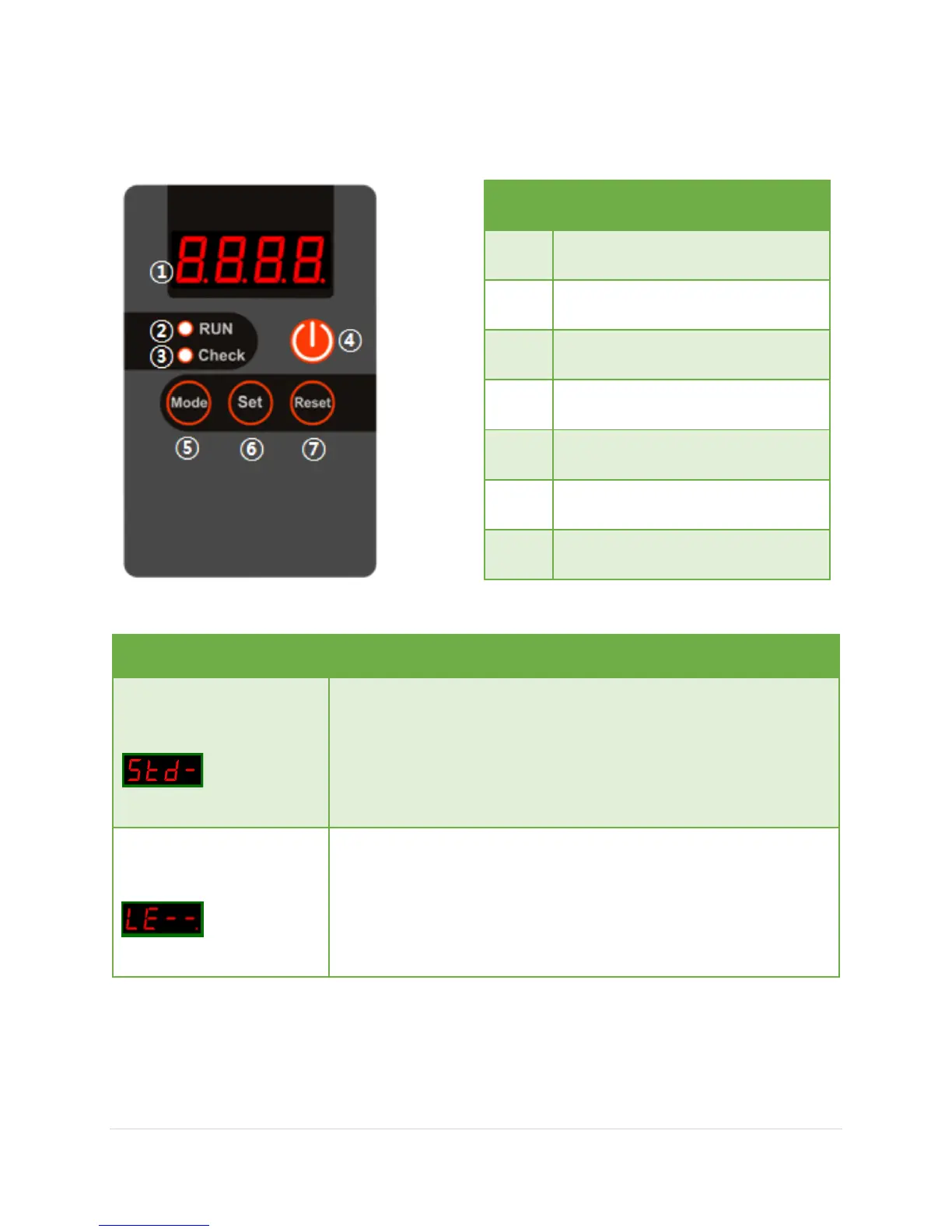
Check error code in LED display
Mode button (see uses below)
Set button (see uses below)
Reset alarm to resume running
Standard Mode
Setting to standard mode:
1. Press and hold “Set” button for 3 seconds and release
2. Press “Reset” button once
3. Press and hold “Mode” button for 3 seconds and release
Level Mode
Setting to level mode:
1. Press and hold “Set” button for 3 seconds and release
2. Press “Set” button once
3. Press and hold “Mode” button for 3 seconds and release


 To Previous Page