15
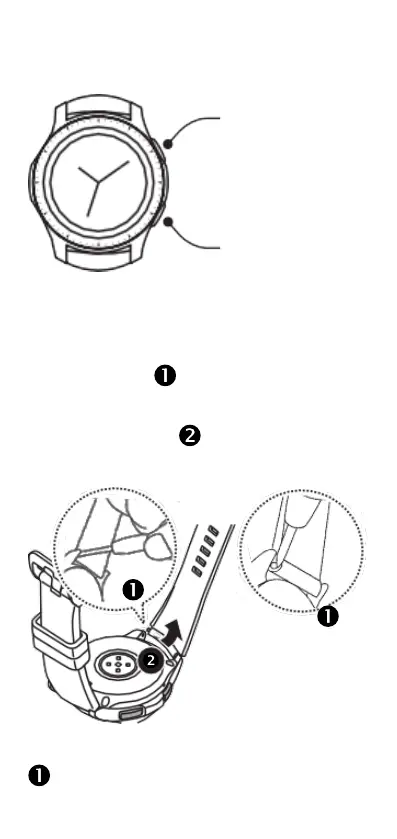
To open the Apps screen, press the Home key on the
Watch screen.
To return to the Watch screen, press the Home key.
Back key
Home key
Replacing the watchband
Using the spring pin tool, rmly but carefully insert
the fork end of the spring pin tool between the watch
lug and the strap . Apply sideways pressure to
compress the pin toward the center of the strap. The
other end of the pin should then pop out easily from
hole in the opposite lug .
Insert one end of the spring bar into the Watch’s lug
. Using the fork end of the spring pin tool to apply



 To Next Page