16
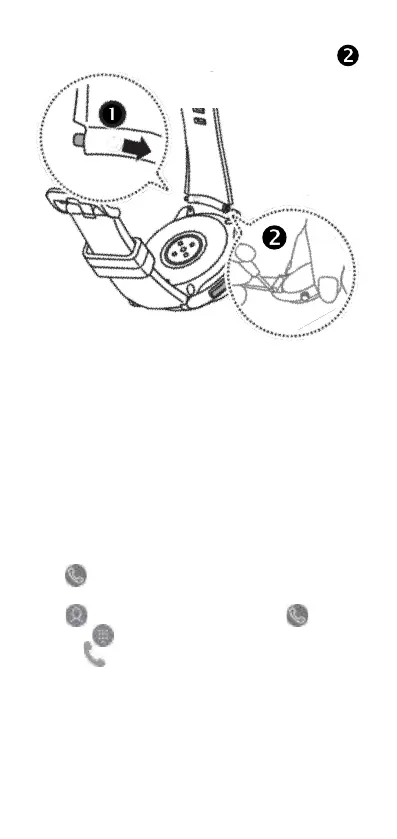
gentle pressure to the free edge of the strap, compress
the spring-bar pin toward the center of the strap .
Using the call function
On your Smart-Ex Watch 01, directly make or receive
calls. You can have phone conversations via the in-
ternal microphone, speaker, or connected Bluetooth
headset.
Answering a call
When a call comes in, drag outside the large circle.
Alternatively, rotate the bezel clockwise.
Making a call
1 Tap (Phone) on the Apps screen.
2 Tap , select a contact, and then tap . Alterna-
tively, tap , enter a number using the keypad, and
then tap .



 To Next Page