35
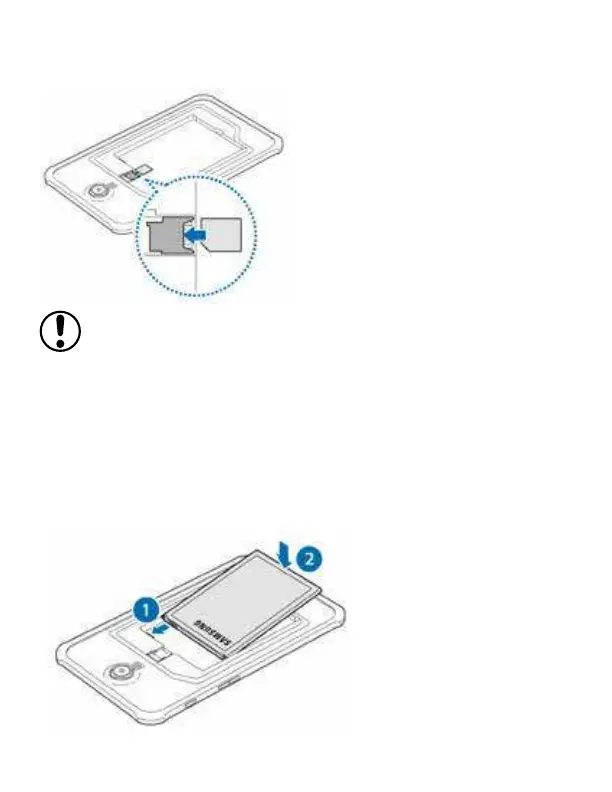
2 Insert the SIM or USIM card with the gold-coloured contacts
facing downwards.
• Do not insert a memory card into the SIM card slot. If a memory card happens
to be lodged in the SIM card slot, take the device to a Ecom Service Centre to
remove the memory card.
• Use caution not to lose or let others use the SIM or USIM card. Ecom is not
responsible for any damages or inconveniences caused by lost or stolen
cards.
3 Insert the battery.



 To Next Page