40
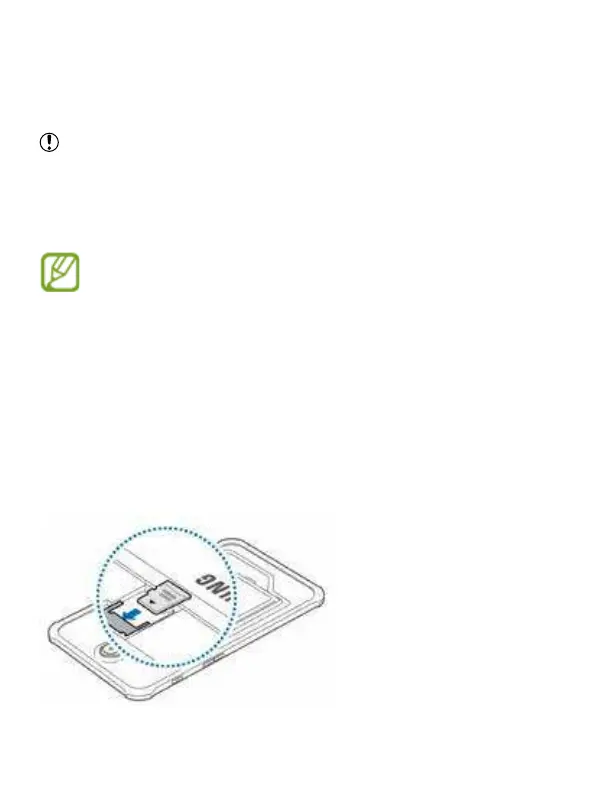
Inserting a memory card
Your device accepts memory cards with maximum capacities of 64 GB. Depen
-
ding on the memory card manufacturer and type, some memory cards may not
be compatible with your device.
• Some memory cards may not be fully compatible with the device. Using an
incompatible card may damage the device or the memory card, or corrupt the
data stored in it.
• Use caution to insert the memory card right-side up.
• The device supports the FAT and the exFAT le systems for memory cards.
When inserting a card formatted in a different le system, the device asks to
reformat the memory card.
• Frequent writing and erasing of data shortens the lifespan of memory cards.
• When inserting a memory card into the device, the memory card’s le directo-
ry appears in the SD card folder.
1 Remove the back cover and battery.
2 Insert a memory card with the gold-coloured contacts facing downwards.
3 Replace the battery and back cover.



 To Next Page