4 EN
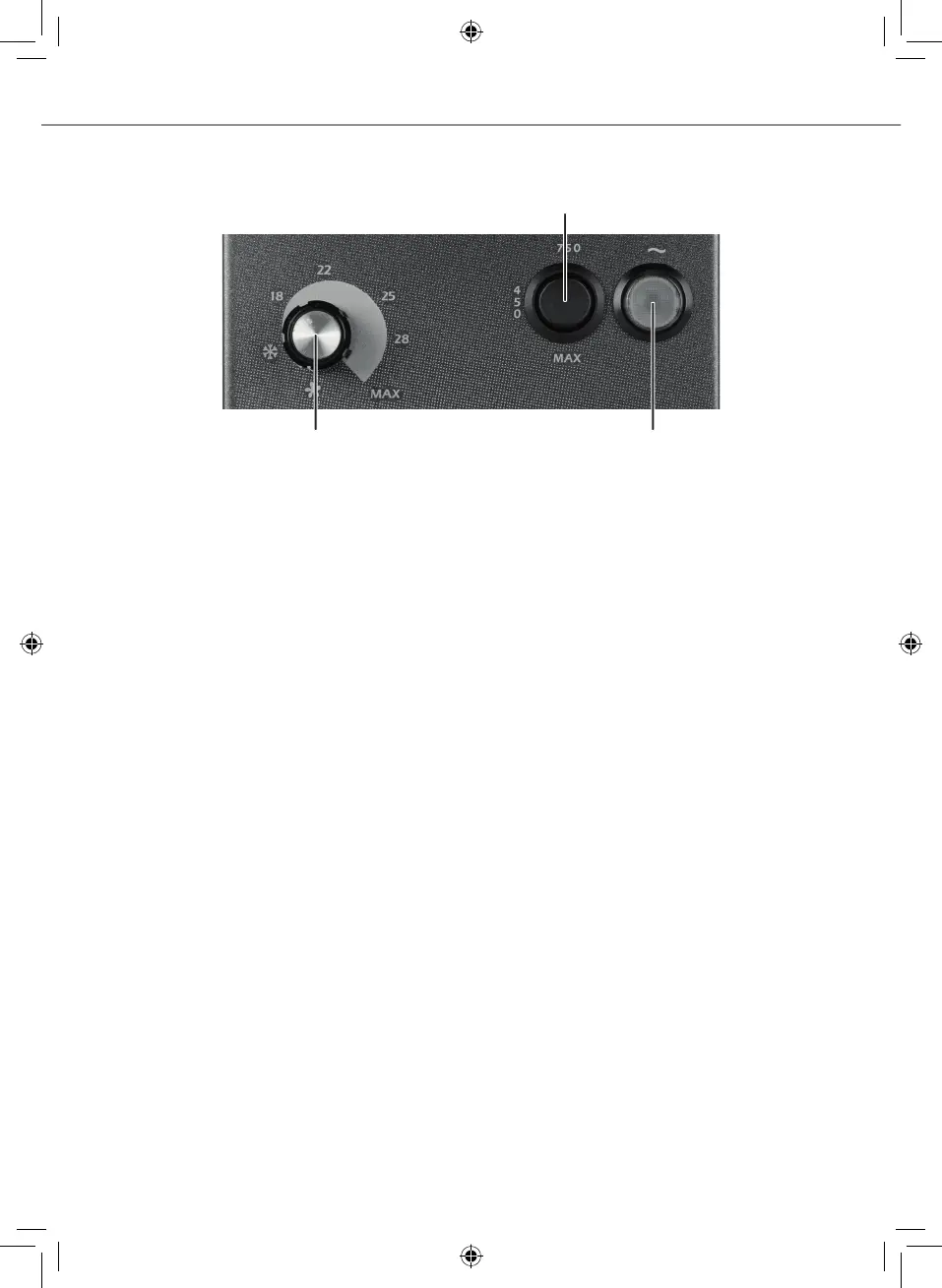
2) Power rocker switch
3) Thermostat rotary knob 1) Main switch (red)
1) Main switch (red)
Press this switch to bring the appliance into operation. The red light lights up when appliance
is switched on.
2) Power rocker switch with pos. 450 W / 750 W / MAX
Use this 3-position rocker switch which also serves as an economy circuit to select the power
and lowest fuse protection of 2 amperes.
The function is as follows:
• 450 W / 2 A - Fuse protection: For extremely small fuses and low heating requirement.
Also serves as economy circuit.
• 750 W / 4 A - Fuse protection: This position can also be selected with small fuses and also
serves as an economy circuit.
• MAX 1500/1800 W / 6-10 A - Fuse protection: Move the switch to this position to select
maximum heating power depending on the heating requirement, or to heat quickly. The
fan runs at high speed.
190318-Ecomat-Anleitung-Classic.indd 4 25.03.2019 11:37:04


 To Next Page