EN
6 05.10.2015 BA-21907-006-EN
1
8
354
76
22
70
65
60
55
50
45
85
80
75
70
65
60
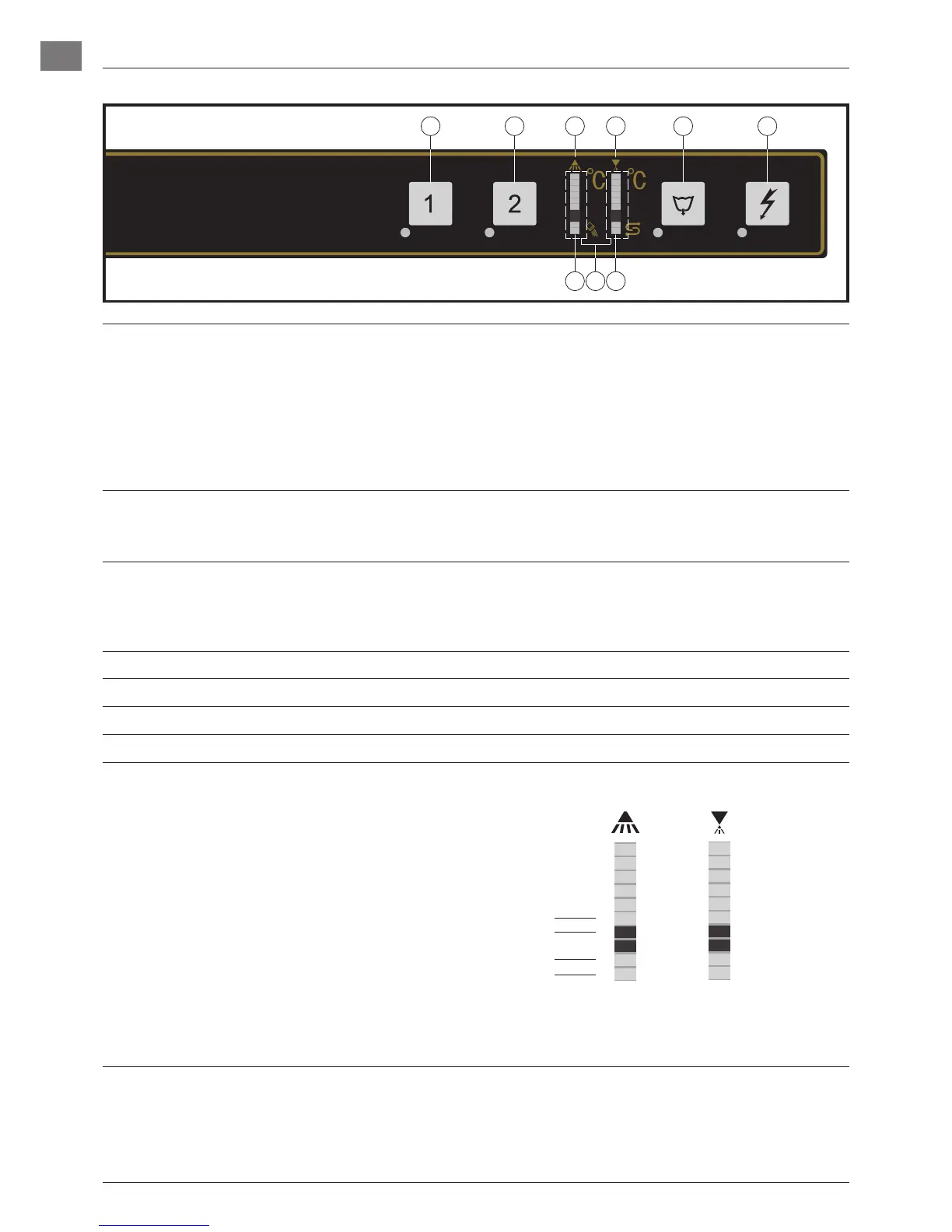
2. CONTROLS
➀
Machine ON/STOP button Pushing this button switches the machine on.
The LED lights up
− ashing = Machine is lling and heating
− permanent = Machine is ready
In case of operating error or faults, it is possible to switch-off the machine im-
mediately without the drain cycle, by pushing this button.
After switch off, the machine is not voltage free!
➁
Program buttons By pushing these buttons, it is possible to select between short cycle (1) and
standard cycle (2).
The appropriate LED lights up.
➂
Drain/OFF button By pushing and holding (3 seconds) this button, the self-cleaning cycle starts.
At the end of the cycle, the machine switches off automatically. Machines with
optional drain pump will drain the tank automatically.
After switch off, the machine is not voltage free!
➃
Temperature indication Wash
➄
Temperature indication Rinse
➅
Salt required Indicating the need for regeneration-salt to be added (only with built-in softener).
➆
Regeneration indicator Softener regeneration active. The cycle running time can be extend.
➇
Indicator for setting functions The individual LEDs are also used for various settings and special functions:
Hose priming – rinse aid
Hose priming – detergent
Adjustment of water hardness
Rinse aid dosage quantity
Detergent dosage quantity
20
19
18
17
16
15
14
13
12
11
10
9
8
7
6
5
4
3
2
1
Left display: The LEDs 1 to 6 illuminate according to the selected
function.
Right display: Indicates the adjusted value


 To Next Page
 Loading...