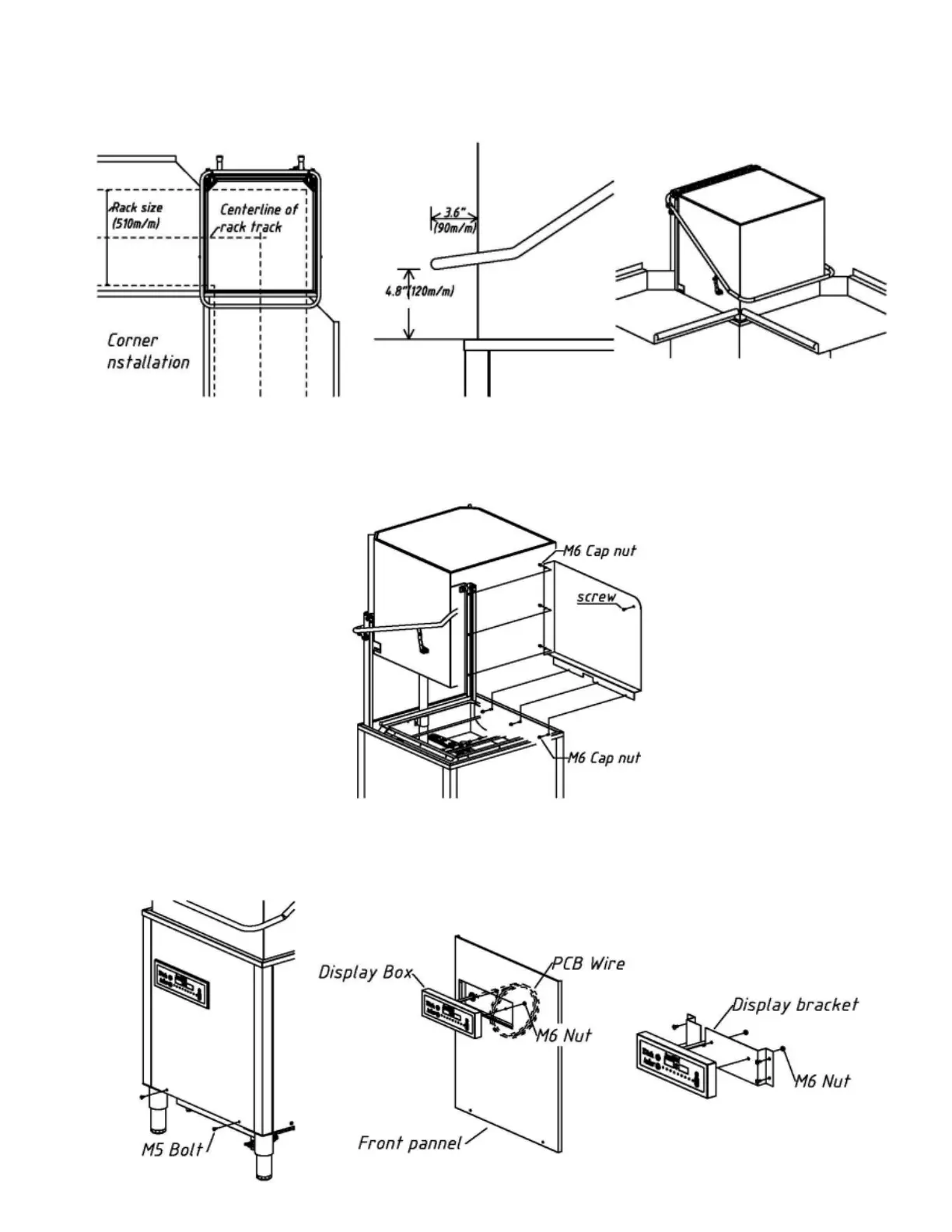
- Align the table centerlines with the machine.
- Next figure shows a door handle clearance for corner installation.
- When installing the machine in the corner, its right side should be facing the wall for easy
maintenance.
- The side cover panel (option) for protecting water spray on the wall should be installed before the
machine is set in place.
- After placing the machine, remove the display box from the front panel. Install the display box with
optional wall bracket. Another option is the table manufacture could weld a shaped bracket to mount
the control on under the table. Display bracket should be located 10” (250mm) away from the
machine.
Ecomiser SR-02 / SR-03 Manual 12/24 Page Rev.06


 To Next Page