EasyManua.ls Logo

EcoSmart 11A19060WRGBW01 - User Manual

EcoSmart 11A19060WRGBW01
8 pages
Print Icon
To Next Page IconTo Next Page
Loading...
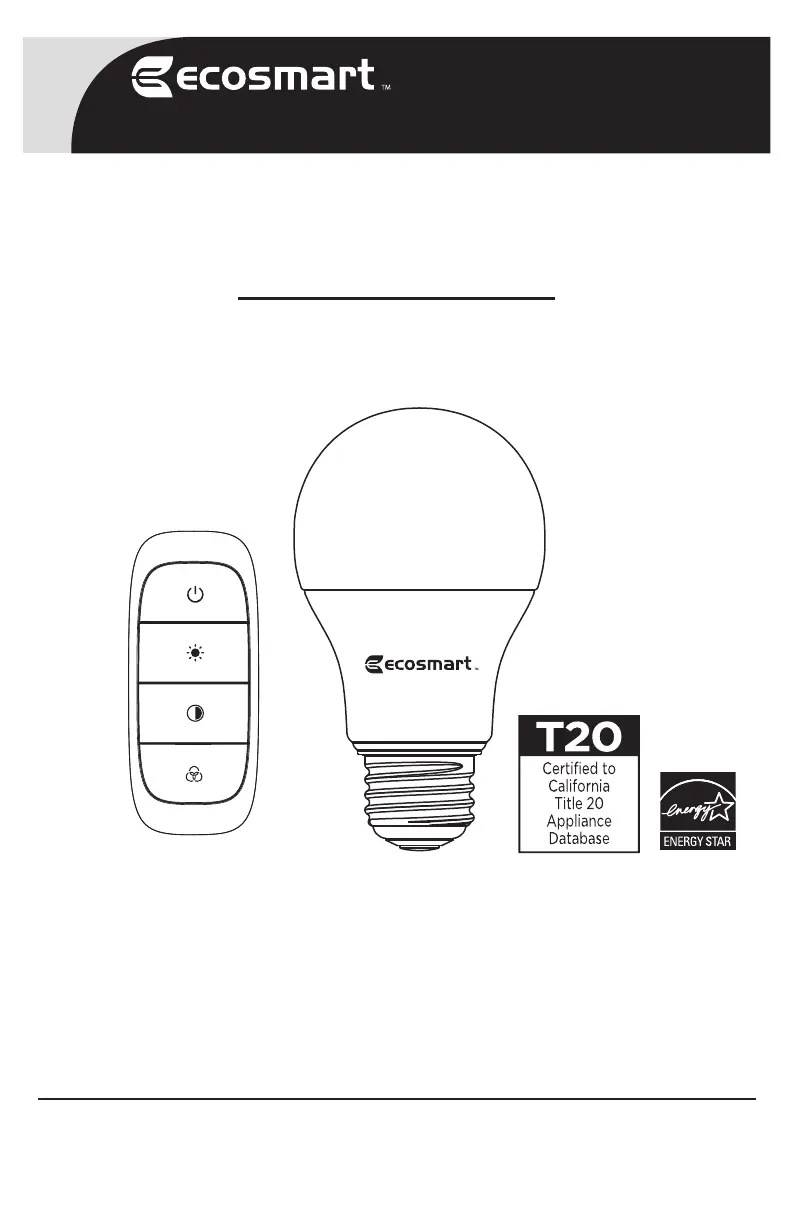
Remote Controlled LED A19 Color
Changing Smart Bulb Kit
THANK YOU
We appreciate the trust and confidence you have placed in EcoSmart through the purchase of this bulb.
We strive to continually create quality products designed to enhance your home. Visit us online to see our full
line of products available for your home improvement needs. Thank you for choosing EcoSmart!
USE AND CARE GUIDE
SKU # 1006 778 604
Model # 11A19060WRGBW01
1-877-527-0313
HOMEDEPOT.COM/ECOSMART
Questions, problems, missing parts? Before returning to the store,
call EcoSmart Customer Service 8 a.m. - 7 p.m., EST,
Monday - Friday, 9 a.m. - 6 p.m., EST, Saturday

Questions and Answers

  • J
    John SharpAug 4, 2025
    Why won't my EcoSmart 11A19060WRGBW01 turn on?
    • T
      Tristan ChaneyAug 4, 2025
      If your EcoSmart Home Lighting won't turn on, it could be due to a few reasons. First, ensure that the main power supply is switched on. Second, check that the circuit breaker is in the 'on' position. Finally, if it's battery-powered, make sure the CR2450 battery is correctly installed and has sufficient power.
  • P
    Patrick DonovanAug 9, 2025
    What to do if EcoSmart 11A19060WRGBW01 Home Lighting remote is not working?
    • T
      thomaspooleAug 9, 2025
      If your EcoSmart Home Lighting remote isn't controlling the lights, there are a couple of things to check. First, if the LED bulb has not been linked successfully, refer to the solutions for pairing issues. Second, ensure the light is within the remote's control range. Lastly, make sure the CR2450 battery is correctly installed and has sufficient power.
  • J
    Jimmy MackAug 14, 2025
    How to fix EcoSmart 11A19060WRGBW01 remote pairing issues?
    • C
      carneyalecAug 14, 2025
      If your EcoSmart Home Lighting remote is failing to pair, try these steps: * Remove the plastic battery strip (FF). * Ensure the CR2450 battery is correctly installed and has power. * Give the devices a moment to respond and try again. Also, if the remote is already linked with 20 LED bulbs, reset the remote. If the LED bulb is linked with another remote, reset the light to factory default.
  • M
    Mr. Johnny TrevinoAug 19, 2025
    What to do if EcoSmart Home Lighting remote does not work and no indicator light is on?
    • D
      David CurtisAug 19, 2025
      If your EcoSmart Home Lighting remote isn't working and the indicator light is off, first, check if the plastic battery strip (FF) has been removed. Also, make sure the CR2450 battery is correctly installed and still has power.
  • K
    Kelly JohnsonAug 25, 2025
    What does it mean if the EcoSmart 11A19060WRGBW01 indicator is blinking after resetting the remote?
    • K
      Kenneth HernandezAug 25, 2025
      If the indicator on your EcoSmart Home Lighting is blinking constantly after resetting the remote, it means the remote has been reset to factory default. Press any button to stop the blinking and then repeat the linking process.
  • K
    Kendra GarciaAug 30, 2025
    What to do if EcoSmart 11A19060WRGBW01 Home Lighting remote fails to unpair the light when the indicator is blinking?
    • S
      Scott Guerrero IIAug 30, 2025
      If your EcoSmart Home Lighting remote fails to unpair the light while the indicator is blinking, it means the devices aren't responding to the unpairing process. Press any button to stop the indicator from blinking and then try the unpair process again.

Summary

Safety Information

Wireless Protocol

Warranty

Pre-Installation

Package Contents

Lists the items included in the kit.

REMOTE INTRODUCTION

Details the parts and functions of the remote control.

Bulb Specification

Quick Start Guide by Remote

Operation

ON;OFF

Instructions for turning the bulb on and off.

Dimming

How to adjust the brightness levels of the bulb.

Customize White Light

Steps to change the bulb's white light temperature.

Color Changing

Guide to changing the bulb's colors.

Pairing the LED Bulb

Instructions for pairing additional bulbs to the remote.

Unpairing the LED Bulb

Reset to Factory Setting

Factory Default

Low Power Notification and Replacing the Battery

FCC Regulation

Troubleshooting

Compatible Bluetooth Bulb Specification

EcoSmart 11A19060WRGBW01 Specifications

General IconGeneral
BrandEcoSmart
Model Number11A19060WRGBW01
CategoryHome Lighting
Bulb ShapeA19
Incandescent Equivalent60W
Brightness800 lumens
Voltage120V
DimmableYes
ConnectivityWi-Fi
ColorRGBW
Life Hours25, 000 hours
Color Temperature2700K-6500K
Smart Home CompatibilityGoogle Assistant, Amazon Alexa

Related product manuals