7
Automated CO2 Feature Enhancements
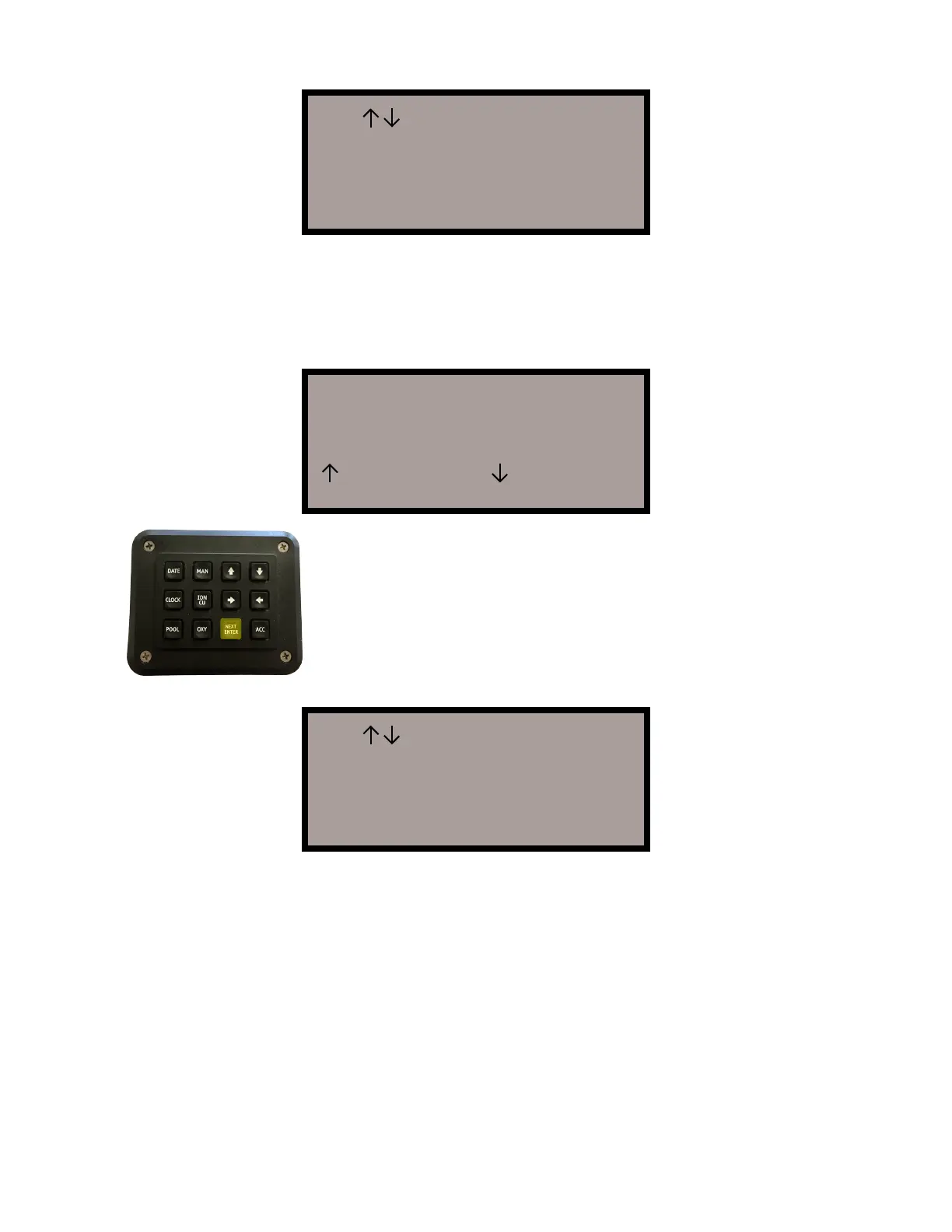
Use >< Keys to set
CO2 Output Enable
CO2 TIMED
Press NEXT when done
Use >< Keys to set
CO2 Output Enable
CO2 TIMED
Press NEXT when done
Feature Setting >
CO2 Feed OFF
PH Sense OFF
More Features
Changing the setting should be done after install. All CO2 users must use
the ACC keypad, choose CO2 ON. The right arrow key will bring you to the
next screen that allows you to choose between several options such as “ON”,
“TIMED” and “OFF”. It is strongly recommended that CO2 feed feature be set
on “TIMED” option.
All pools should make an initial major pH down adjustment with Muriatic Acid
before depending on the CO2. The pool should be monitored three times the
first week, minutes modified upward or downward as needed. CO2 minutes
are injected four times per day with the first injection occuring at the beginning
of the programmed pool run time.
Note
Default settings on CO2 feeds constant gas to pool to confirm no leads at in-
stall. You must re-select “TIMED” and use the right arrow key to get minutes to
appear on the cursor. Your tank can drain in one day if the time is not entered
correctly. CO2 pH control is a maintenance only method. Acid supplement is
required in early weeks of use.
The “NEXT” button will bring you to the screen where CO2
injection time should be set. Use the right arrow key to
move cursor to the next necessary entry (from hours to
minutes). The up and down arrow keys allow you to pro-
gram or change the number of hours/minutes per day. It
is a rule that Southern pools should begin at 40 minutes
(minimum time is 4 minutes).


 To Next Page