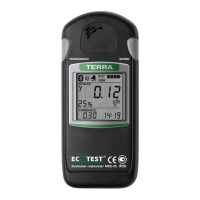
4.3.3 Operation procedure of the dosimeter
4.3.3.1 Switching the dosimeter on/off
Press shortly the MODE button to switch the dosimeter on.
When switched on the dosimeter is testing the dLCD and the
loudspeaker for 2 s. All dLCD segments are highlighted and a one-tone
sound signal is generated. If some dLCD segments are not highlighted it is
indicative of the dLCD malfunction. No sound signal is indicative of the
loudspeaker failure.
After dLCD self-testing is finished the dosimeter switches to the mode
of DER measurement, which is represented by continuously highlighted
“µSv/h” units of measurement.
At the same time, the infrared port of the dosimeter is activated for 15 s.
While the infrared port is active, you can perform the procedure of data
exchange with the PC, program the threshold levels, intervals of dose
history accumulation, and permit/prohibit certain operating modes of the
dosimeter.


 To Next Page