transmitting data. You may go to Section 5
now to complete the GW1000 gateway
configuration first to make its data displayed
and resume the steps followed below.
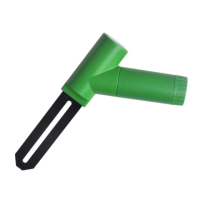
4. Before install the sensor into its permanent
location, we would suggest test the sensor in
air, and see if moisture reading is 0. And
then put the sensor into a cup of water, the
sensor should have its reading increased to
90% or above. Once sensor detected a
significant data change, sensor will transmit
every 10s. Once sensor has been confirmed
working correctly, then you can go to next
step.
5. Insert the sensor totally into the soil of your
desired location. Please do not use excessive
force to push the sensor into the soil to
avoid any damage.


 To Next Page