5. Wi-Fi Configure with gateway
To view the soil moisture data on your mobile
application and receive email alerts on our
weather server, you need to pair this device
with our GW1000 Wi-Fi Gateway or
HP2551/HP3500/HP3501 Weather Station
(sold separately).
5.1 Pair with Gateway
If GW1000 has been in operation, and you
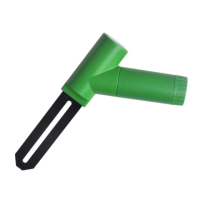
have never had any WH51 soil moisture sensor
setup before, just power up the sensor and
GW1000 will pick soil moisture data
automatically.
Note: The gateway can support max 8 soil
moisture sensors. Each new sensor will be
recognized as a new channel according to the
Power-on sequence. You may attach a label of
the channel on each sensor for distinction. The


 To Next Page