ECTACO Partner
®
P850 User Manual
10
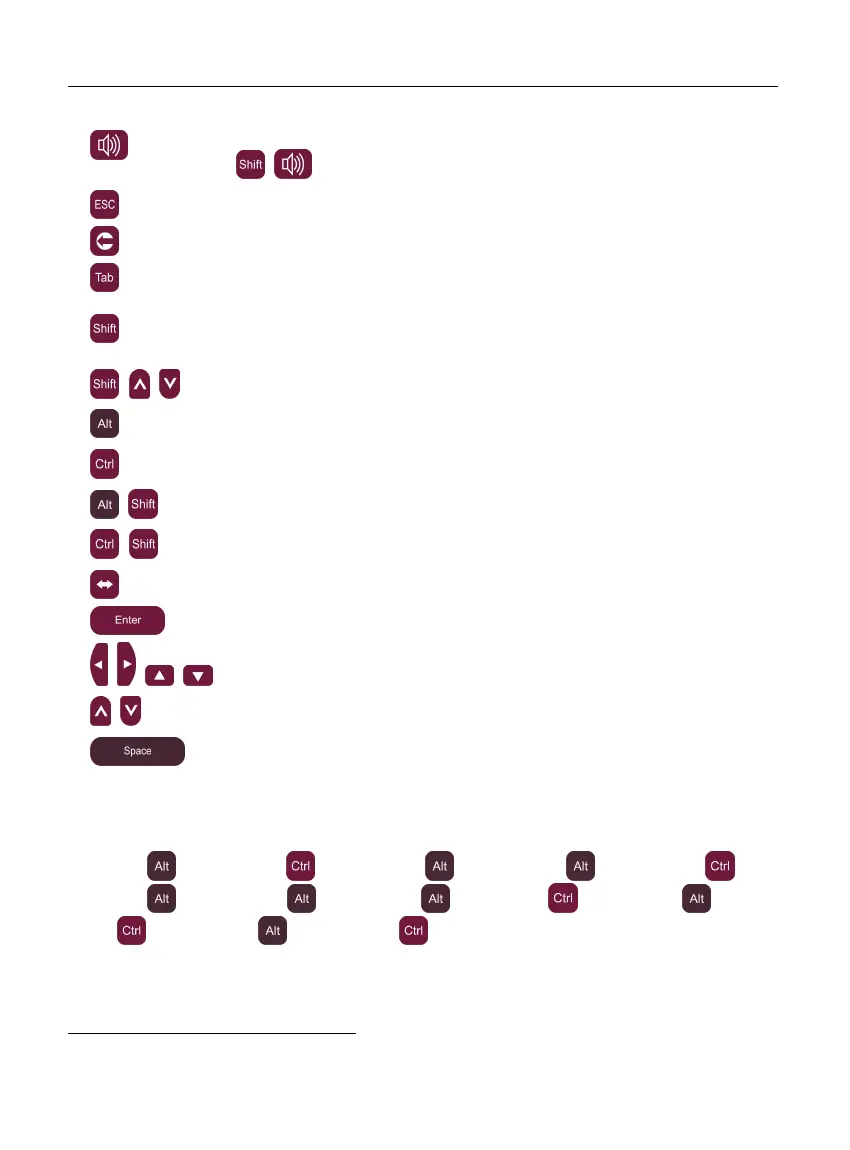
Use speech function / Listen to the pronunciation of the source item
in Audio PhraseBook, English Idioms, Irregular Verbs (press
+ )
Close active window / Cancel
Delete character to the left of cursor
Switch focus between displayed controls (check boxes etc.)
+key
Press and hold this key down to type in uppercase or to enter
additional symbols
1
. Press this key twice to toggle the Caps Lock
mode.
+ ,
Launch spell-checker
+key
Enter diacritic letters (for example: ä, ö, ü, ß)
+key
Enter additional diacritic letters, if applicable
+ +key
Enter diacritic letters in uppercase
+ +key
Enter additional diacritic letters in uppercase, if applicable
Switch language or translation direction
Execute
, , ,
Move cursor or highlight / Scroll lines
,
Page Up / Page Down / Switch Main Menu sections
Enter space
For non-English languages, specific letters can be entered as it is shown in the examples
below.
ECTACO Partner
®
EF850:
à – press
+A, â – press +A, ç – press +C, é – press +E, è – press +E,
ê – press
+R, ë – press +T, î – press +I, ï – press +I, ô – press +O, œ –
press
+O, ù – press +U, û – press +U.
1
Additional symbols are marked on the numeric keys.



 To Next Page