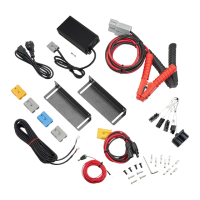
ECTIVE AccuBox 21
USB Ports and Cigarette Lighter Socket
The USB ports and the cigarette lighter socket allow you to charge small
electronic devices.
Please turn the Battery Main Switch on in order to use the USB or
cigarette lighter sockets.
The charging current on each plug must be less than 10A. Otherwise,
the circuit breaker will be triggered and power will be cut off. If the
internal 30A breaker is broken due to over-current, it must be replaced.
Caution!
Before replacing the circuit breaker, check all connections and make
sure that the electrical fault in the circuit is fixed. Otherwise, the new
circuit breaker will also be triggered.
AC Port
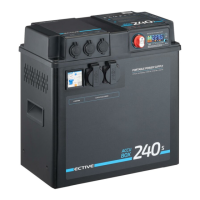
The AccuBox Xs, 80, 120, 150 and 180 feature a 230V AC socket, while
the AccuBox 120s and 240s have two.
When using a 230V AC socket, please make sure that the total load
does not exceed 1000W (models 120S and 240S: 2500W). In case of
overload, a buzzer alarm will sound.
The 230V AC socket can be used as a regular power supply for most AC
devices. Please note that it may not be able to start or work properly
with some equipment or applications such as motor load equipment:
due to a peak current at start (about 6 to 10 times the rated current),
please check whether this brief start power exceeds the inverter‘s
maximum power output specifications.


 To Next Page