Operating instructiOns
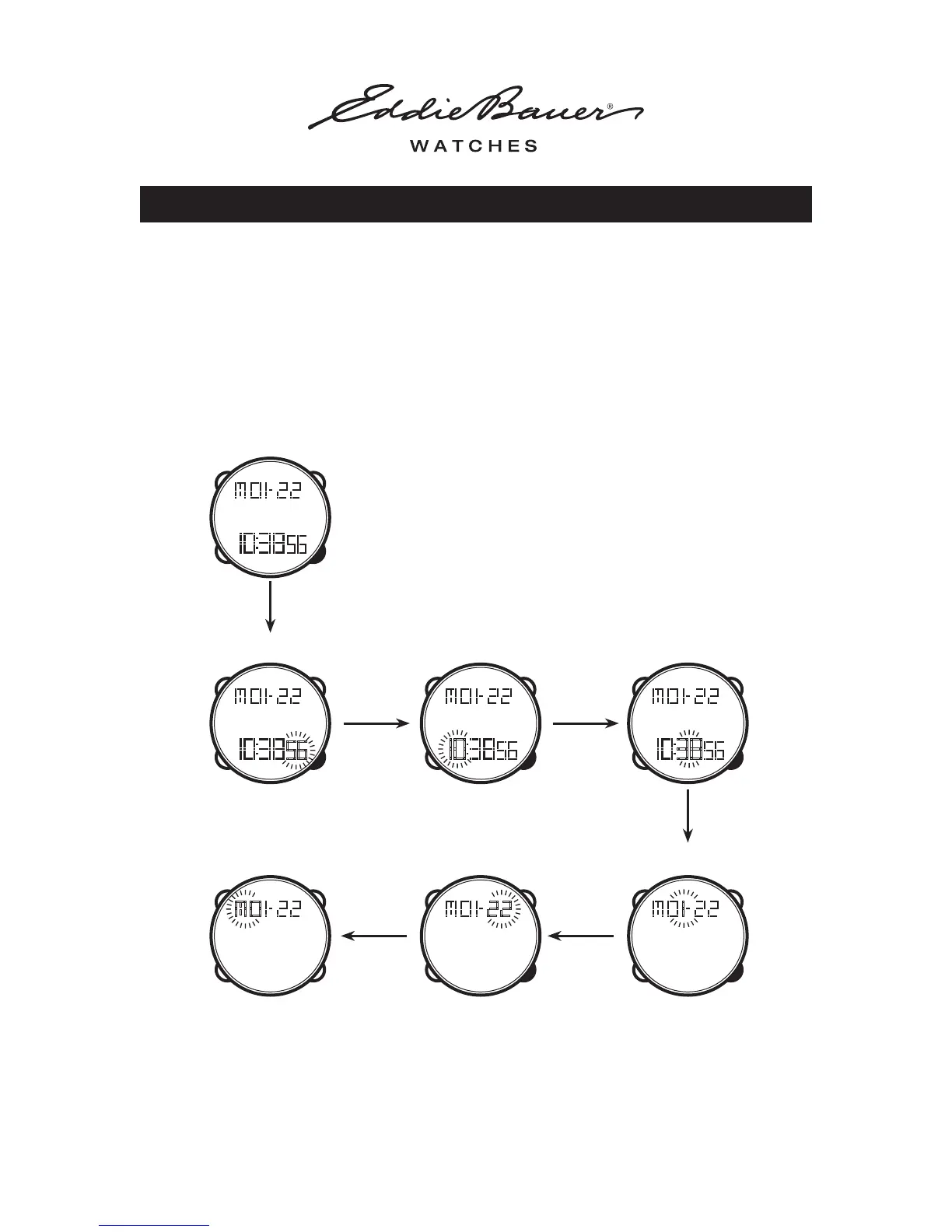
To Set the Digital Time
• PRESS the MODE button until the display is in TIME SETTING mode
• PRESS the SET button to reset the ‘Seconds’ to ZERO
• PRESS the START / STOP button to advance to the next item. Setting sequence will be:
• PRESS the SET button to adjust the setting
• PRESS the MODE button at anytime to return to the NORMAL TIME MODE
WatcH WitH anaLOg / digitaL duaL time
MINUTESHOURSECONDS
MONTHDAY OF THE WEEK DATE
Press
START / STOP
Press
START / STOP
Press
START / STOP
Press
START / STOP
Press
START / STOP
OPERATING INSTRUCTIONS - WATCH WITH ANALOG / DIGITAL DUAL TIME 2 of 4
Press
START / STOP
START / STOP



 To Next Page