Operating instructiOns
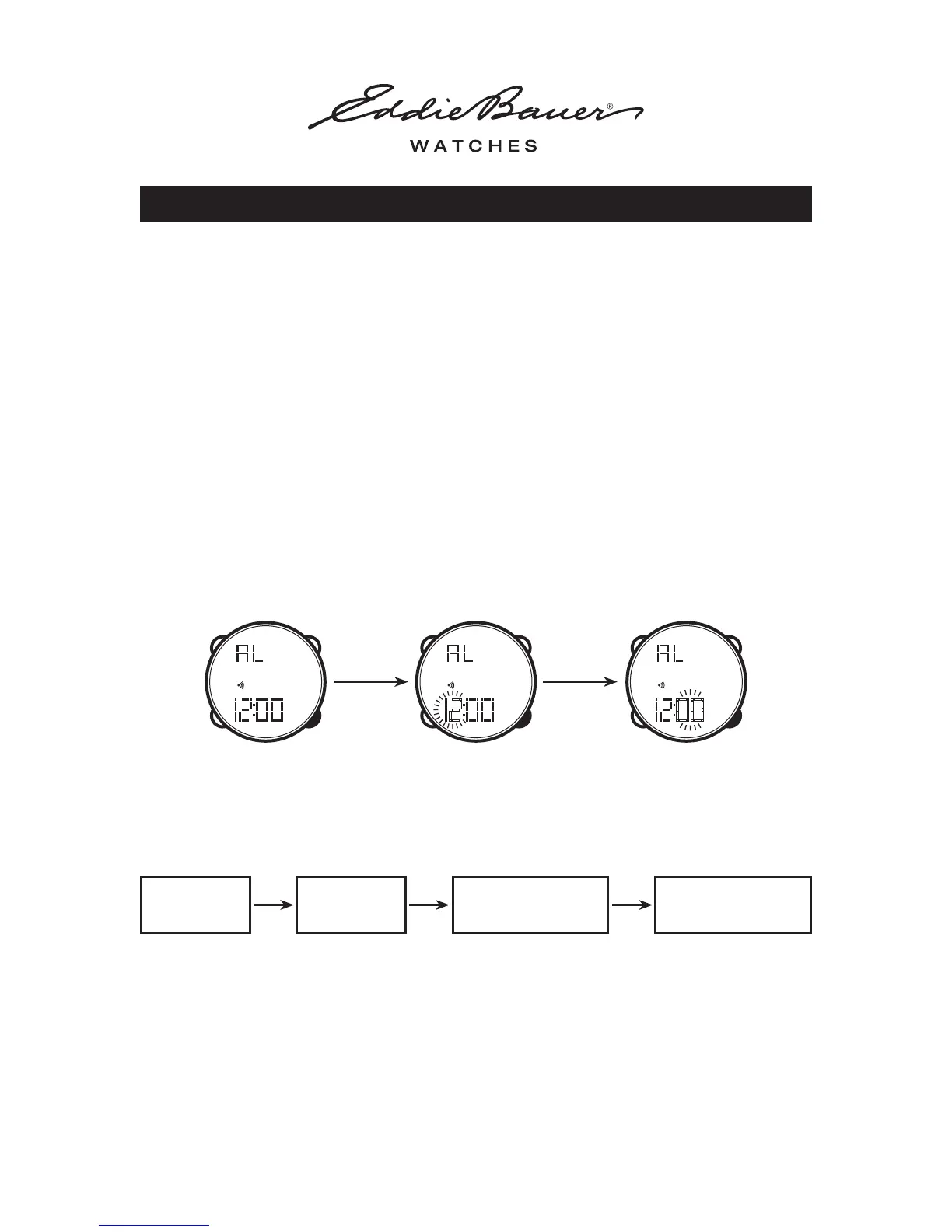
To Set the Alarm
• PRESS the MODE button until the display is in ALARM mode
• PRESS the START / STOP button (HOUR will start to blink). PRESS the SET button to
adjust the HOUR
• PRESS the START / STOP button to advance to the MINUTES Setting. PRESS the SET
button to adjust the MINUTES
• PRESS the START / STOP button to advance to the SECONDS Setting. PRESS the SET
button to adjust the SECONDS
• PRESS the START / STOP button to confirm the setting
• PRESS the MODE button at anytime to return to NORMAL TIME MODE
WatcH WitH anaLOg / digitaL duaL time
To Set the Alarm Chime On / Off
• PRESS the MODE button until the display is in ALARM mode
• PRESS the SET button to enable or disable the ‘alarm’ and ‘chime’ on or off. Sequence will be:
• Alarm will sound for 20 seconds. Stop alarm by pressing the START / STOP button.
ALARM ON CHIME ON
ALARM & CHIME
OFF
ALARM & CHIME
ON
To Operate the EL Backlight Function
• PRESS the LIGHT button
• Light will remain on for 3 seconds after you release the light button
OPERATING INSTRUCTIONS - WATCH WITH ANALOG / DIGITAL DUAL TIME 3 of 4
MINUTESHOUR
Press
START / STOP
Press
START / STOP
START / STOP



 To Next Page
 Loading...