To Switch between 12 and 24 Hour Time
• PRESS the MODE button until the display is in TIME SETTING mode
• When adjusting the hour, press the SET button to switch between 12 and 24 hour time
• For example: If you are in the 12 hour mode, keep pressing the SET button until you pass
12AM. The display will change to 24 hour mode. If you are in the 24 hour mode, keep
pressing the SET button until you pass 12AM. The display will change to the 12 hour mode.
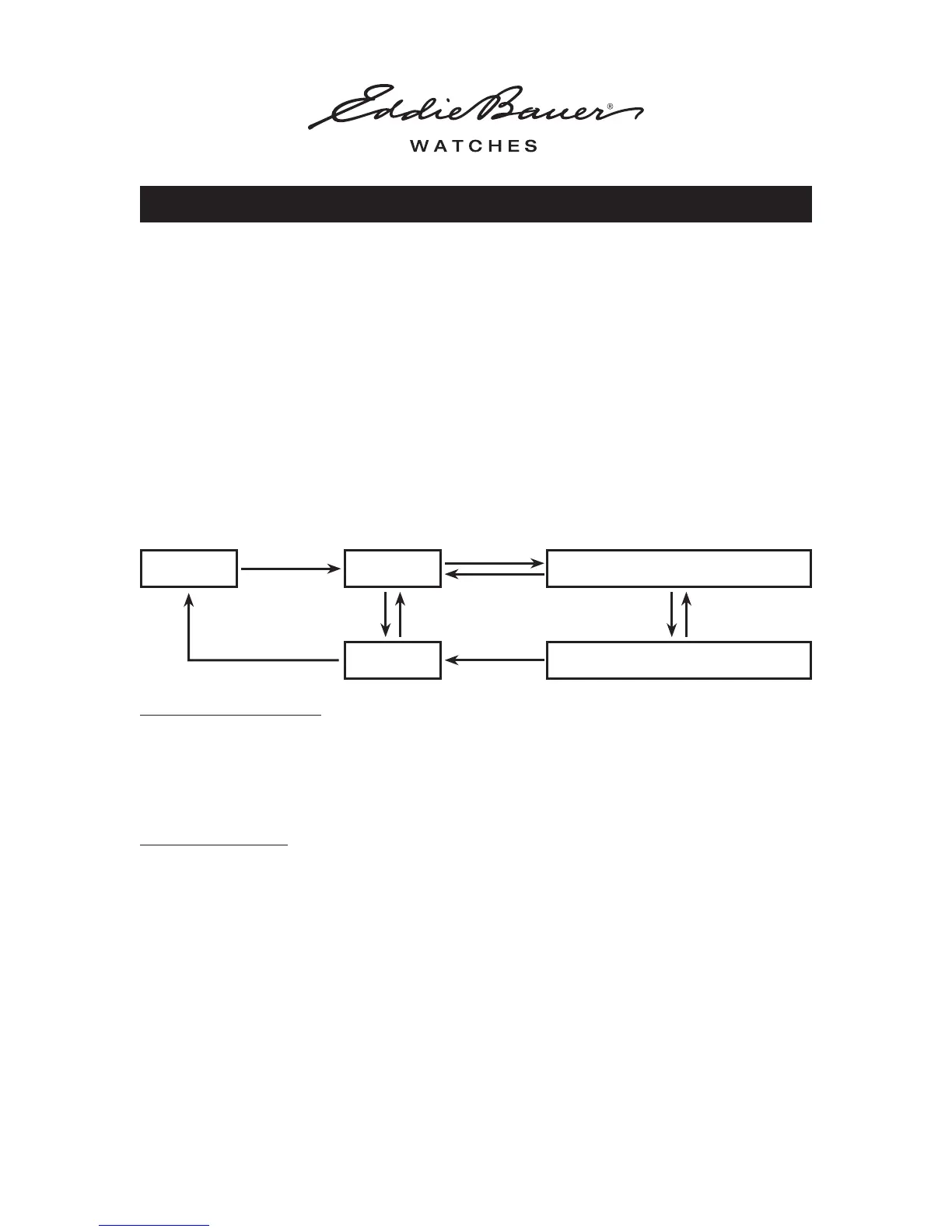
To Operate the Chronograph
SIMPLE COUNTING:
• PRESS the MODE button until the display is in CHRONOGRAPH mode
• PRESS the SET button to start counting
• PRESS the SET button again to stop counting
• PRESS the START / STOP button to reset to ‘ZERO’
LAP COUNTING:
• Follow the SIMPLE COUNTING instructions above
• PRESS the START / STOP button to read the first lap, counting with continue internally
• PRESS the START / STOP button to resume counting
• PRESS the START / STOP button to read the second lap. Repeating the above operation will
split time.
• To read the final lap, PRESS the SET button to stop counting
• PRESS the START / STOP button to reset to ‘ZERO’
NOTES:
• To ensure water resistance, do not push any buttons under water or when watch is wet.
• For all analog / digital watches, if the digital portion of the watch does not appear to function
properly, it can be reset by pressing all four buttons simultaneously. If the digital portion
does not reset, please send the watch in for service.
Operating instructiOns
WatcH WitH anaLOg / digitaL duaL time
OPERATING INSTRUCTIONS - WATCH WITH ANALOG / DIGITAL DUAL TIME 4 of 4
RESET START
SPLIT STOP
SPLIT TIME MEASUREMENT
STOP
Press
START / STOP
Press
START / STOP
Press
SET
Press
SET
Press
SET
Press
START / STOP
Press
START / STOP
Press
SET
Press
SET



 To Previous Page
 Loading...