EasyManua.ls Logo

Edenwood BARREL 250 - User Manual

Edenwood BARREL 250
72 pages
Go to English
Print Icon
To Next Page IconTo Next Page
Loading...
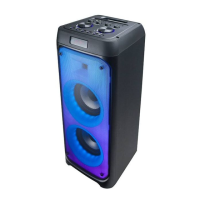
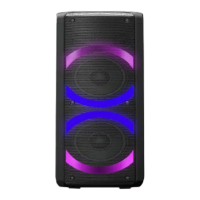
975742 - BARREL 250
Enceinte
Speaker
Luidspreker
Altavoz
CONSIGNES D'UTILISATION ....................02
INSTRUCTIONS FOR USE ....................20
GEBRUIKSAANWIJZINGEN ....................36
INSTRUCCIONES DE USO ....................52
2/2
08/2022-01
Question and Answer IconNeed help?

Do you have a question about the Edenwood BARREL 250 and is the answer not in the manual?

Overview

This document describes the Edenwood Party 250 Barrel speaker, model number 975742, a portable audio device designed for household use. It is not intended for industrial or professional applications.

Functions and Controls:

The speaker features a control panel on the top (A) with various knobs and buttons, and it also comes with a remote control (G) for convenient operation.

Control Panel (A):

  • Play/Pause (1): In BT/USB/TF mode, press to play or pause music. In AUX mode, press to mute the sound. In FM mode, press and hold to scan all stations (channels) and automatically store them. In BT mode, press and hold to connect/disconnect TWS mode.
  • AUX Input (2): A 3.5mm jack for connecting external audio devices (cable not provided).
  • MIC2 Input (3): A microphone input socket (microphone not provided).
  • TF Card Slot (4): For a TransFlash (TF) or micro SD card to play MP3/WMA/WAV files.
  • MIC1 Input (5): Another microphone input socket (microphone not provided).
  • EAR-MIC Input (6): A 3.5mm jack for connecting earphones with a microphone (cable not provided).
  • TREBLE Knob (7): Adjusts the treble level.
  • BASS Knob (8): Adjusts the bass level.
  • MIC VOL Knob (9): Adjusts the microphone volume (H00 to H30).
  • ECHO Knob (10): Adjusts the echo level (E00 to E30).
  • USB Input (11): For a USB memory stick (not provided) to play MP3/WMA/WAV files.
  • POWER Switch (12): Turns the speaker on or off.
  • DC 9V Input (13): Charging socket with an indicator light.
  • VOLUME Knob (14): Increases or decreases the speaker volume.
  • Next Track/File/Station (15): In BT/USB/TF mode, skips to the next track or file. In FM mode, skips to the next station (channel).
  • Microphone Priority/Disco Lights (16): Press to prioritize the microphone over music. Press and hold to turn the disco lights on or off.
  • Repeat Function (17): In USB/TF mode, press to repeat a single song or all songs. Options include ONE (repeats a single file/track), ALL (plays all files/tracks in order), and OFF (turns off repeat).
  • Mode Selection/Bluetooth Disconnect (18): Press to select mode (TF/USB/FM/AUX/BLUE (BT)). Press and hold to disconnect Bluetooth.
  • Previous Track/File/Station (19): In BT/USB/TF mode, skips to the previous track or file. In FM mode, skips to the previous station (channel).

Remote Control (G):

  • Numeric Keypad (1): In USB/TF mode, selects a track or file. In FM mode, selects a station (channel) or directly enters the radio frequency.
  • Repeat Function (2): Same as (17) on the control panel.
  • Previous Track/File/Station (3): Same as (19) on the control panel.
  • Record (4): Inserts a microphone and presses REC to start recording. Press again to stop. Recordings are stored on USB or TF/SD card.
  • Mode Selection/Bluetooth Disconnect (5): Same as (18) on the control panel.
  • Mute (6): Turns the sound on or off.
  • Record Playback (7): Stops recording and automatically plays it back. Music always plays from the first recording.
  • Volume Up (8): Increases the volume.
  • Play/Pause/Scan (9): In BT/USB/TF mode, plays or pauses music. In FM mode, press and hold to scan all stations (channels) and automatically store them. In BT mode, press and hold to connect/disconnect TWS mode.
  • Next Track/File/Station (10): Same as (15) on the control panel.
  • Volume Down (11): Decreases the volume.
  • Disco Lights (12): Turns the disco lights on or off.

Technical Specifications:

  • Model: 975742 - BARREL 250
  • Speaker Output Power: 20W x 2 (RMS)
  • Drive Units: 6.5" x 2 + 2" x 2
  • Operating Voltage: AC 100-240V~, 50-60Hz
  • Operating Frequency: 50Hz-20kHz
  • Rechargeable Li-ion Battery: 7.4V, 3600mAh
  • Charging Time: Approximately 5.5 hours
  • Playback Time: 5.5 hours at half volume (level 15), 1.5 hours at full volume (level 30)
  • Bluetooth® Version: 5.0
  • Bluetooth (BT) Name: EDENWOOD PARTY 250 BARREL
  • BT Range: 10 metres
  • BT Frequency: 2402MHz to 2480MHz
  • Maximum Power Transmitted by BT: -1.47dBm
  • FM Frequency Range: 87.5 to 108MHz
  • AUX (RCA jack) Input: 3.5mm jack
  • Microphone Input: 6.35mm jack
  • USB Compatibility: Up to 32GB
  • Compatible File Format: MP3/WMA/WAV
  • Size (W x D x H): 25.5 x 25.5 x 61cm
  • Weight: 6.66kg
  • Working Temperature Range: -10°C to 40°C
  • Protection Class: Class III
  • Remote Control Battery: 2 x 1.5V AAA (not provided)
  • Remote Control Operating Range: 5 metres

AC Adapter Specifications (Model LY018SPS-090150VH):

  • Input Voltage: AC 100-240V
  • Input Current Frequency: 50/60Hz
  • Output Voltage: DC 9.0V
  • Output Current: 1.5A
  • Output Power: 13.5W
  • Average Efficiency in Active Mode: 92.0%
  • Low Load Efficiency (10%): 90.0%
  • No-load Power Consumption: 0.10W

Usage Features:

  • Charging: The speaker has a non-replaceable battery. The battery indicator on the screen shows the level. The charging light is red during charging and turns green when full. A full charge takes approximately 6 hours. A sound prompt alerts when the battery is low.
  • Bluetooth Pairing (BT): Turn on your Bluetooth device and enable Bluetooth. If previously connected to another device, remove that connection first. Turn on the speaker (POWER switch to I). "HiFi" will briefly display, then "BLUE" will appear, indicating pairing mode. The Bluetooth icon will flash. Select "EDENWOOD PARTY 250 BARREL" on your device to connect. The icon will stop flashing, and a sound prompt will confirm pairing.
  • TWS Connection (Two Speakers): Place two EDENWOOD PARTY 250 BARREL speakers within 10 meters. Turn both on and ensure they are in Bluetooth mode ("BLUE" on screen). Press and hold the play/pause button on one speaker to make it the master. "BLUE" will animate, and speakers will enter TWS mode. A sound prompt confirms successful connection. Connect your external Bluetooth device to the master speaker. Press and hold the play/pause button on either speaker to exit TWS mode.
  • Music Playback: Connect the AC adapter to the DC 9V socket and a wall outlet. Turn on the speaker (POWER switch to I). A sound prompt will play, disco lights will turn on, and "HiFi" will briefly display. Connect an audio source (AUX, USB, TF, or Bluetooth). Select the source using the mode button. USB and TF modes are only available when a device is inserted.
  • Recording Music: Insert a USB stick or TF/SD card. Connect a microphone. Press the REC button on the remote control to start recording. Press again to stop. Recordings are saved to the USB/TF/SD card. Press the record playback button to stop recording and automatically play it back.
  • FM Radio: Press the mode button repeatedly to select FM radio. The frequency will display (e.g., 91.4). Press and hold the scan button to automatically scan and store stations. Use the previous/next track buttons to navigate saved stations.
  • Microphone Use: Connect a microphone (not provided) to MIC1 or MIC2. Turn on the speaker. Adjust MIC VOL and ECHO knobs as needed. The VOLUME knob controls music volume. The microphone priority function (button 16 on control panel) lowers background music when someone speaks/sings into the microphone.
  • LED Disco Light: Press and hold button (16) on the control panel or button (12) on the remote control to turn the disco lights on or off.
  • Standby Mode: If unused for 10 minutes, the speaker enters standby, and blue LED lights turn off. To restart, turn the POWER switch off (O) then on (I). The remote control cannot be used to turn the speaker on/off from standby.

Maintenance Features:

  • Cleaning: Always turn off and unplug the unit before cleaning. Never immerse the unit in water or any other liquid. Do not use abrasive products, metal brushes, scouring pads, or sharp utensils. Clean regularly with a dry, soft cloth to prevent dust accumulation. Ensure no liquid enters the unit.
  • Storage: Unplug the unit before storing. Store in a cool, dry, dust-free place, out of reach of children and pets. Retain original packaging for long-term storage.

Troubleshooting:

  • Unit not working: Ensure the battery is fully charged, external charging device is connected and on, and the speaker is turned on. If issues persist, contact a qualified service provider.
  • Short usage time after charging: Ensure sufficient charging time. If the battery is old, ask a qualified service provider to install a new one.
  • No sound: Turn up the volume on both the speaker and external device. In AUX mode, check cable connections. When using a microphone, ensure it's connected, on, and its volume is up. In USB/TF mode, verify compatible, uncorrupted files are on the memory stick/card. Try reloading files or using a different memory stick/card.

Edenwood BARREL 250 Specifications

General IconGeneral
BrandEdenwood
ModelBARREL 250
CategorySpeakers
LanguageEnglish

Related product manuals