EasyManua.ls Logo

Edesa 4L53 - Selecting the Wash Temperature; Starting and Interrupting the Wash Cycle

Edesa 4L53
Print Icon
To Next Page IconTo Next Page
To Previous Page IconTo Previous Page
Loading...
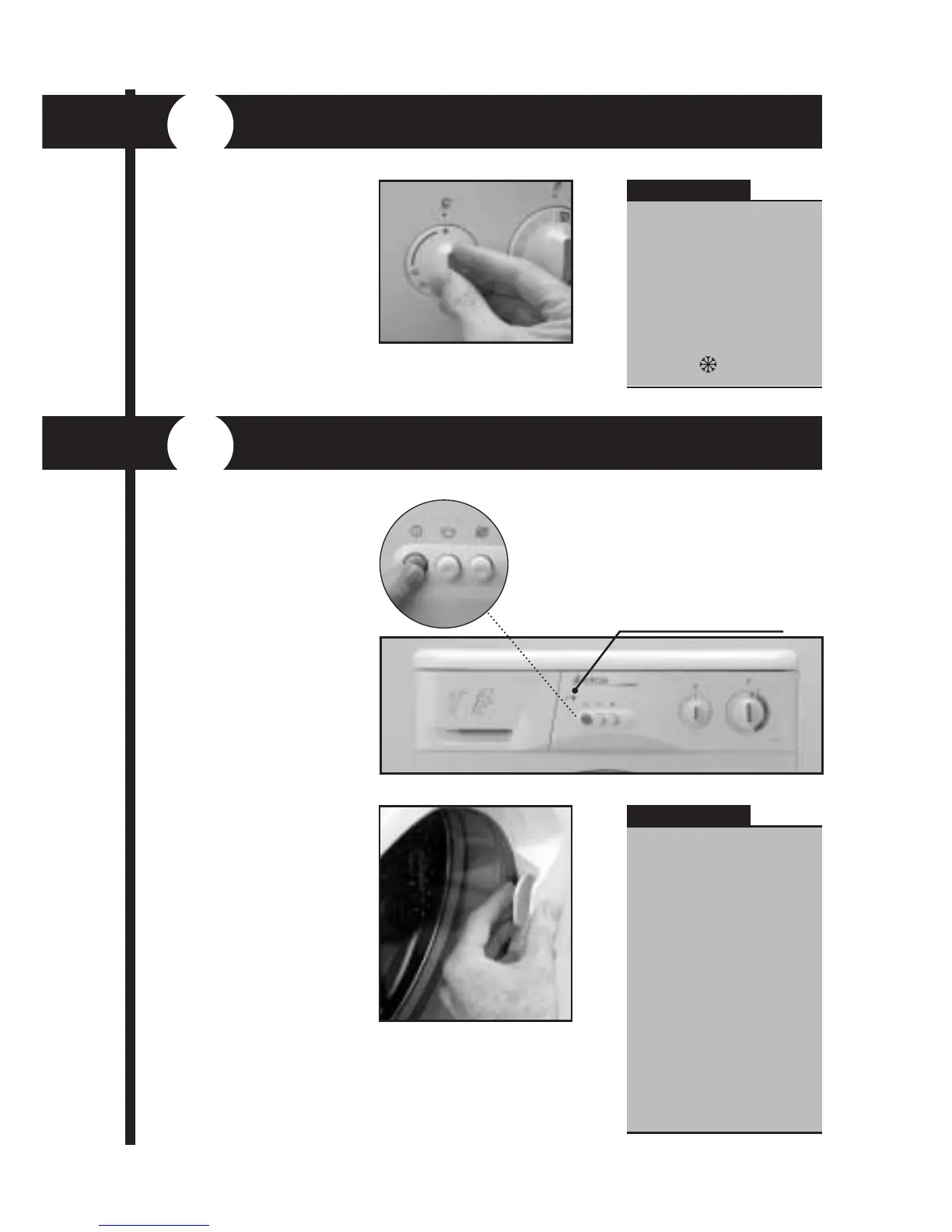
The Start/Stop but-
ton works in the same
way as the additional
function keys, i.e.
Activated when the
appliance ON pilot light
comes on.
The
ON/OFF pilot
light, which indicates
that the washing machi-
ne is switched on with
the door locked, will
come on a few seconds
after you press the Start
button. These few
seconds enable the
machine to activate the
Door Safety System.
When the washing
machine is switched on,
the wash programme
can be interrupted by
pressing the Start/Stop
button once again.
When this happens, the
pilot light will go off and,
approximately two
minutes later, the Door
Locking Safety System
When interrupting a
programme to add or
remove a garment,
make sure that the
water level does not
exceed the flood level
indicated on the door,
and that the temperature
inside the drum is not
too high. Press the
Start/Stop button once
again to continue the
programme from the
same cycle in which it
was interrupted.
You can always select a
lower temperature than
that recommended for
the programme. If you
wish to run a cold wash
with no water heating,
turn the control to
COLD
5
SELECTING THE WASH TEMPERATURE
6
STARTING YOUR MACHINE
To select a wash tem-
perature, gently turn
the Temperature
Selector Control Knob
until the temperature
coincides with the mar-
ker on the control
panel.
IMPORTANT
IMPORTANT
will release the door, ena-
bling you to open it.
ON/OFF pilot light

Related product manuals