
 To Next Page
G
gkingAug 7, 2025
Why is there no sound on my EdgeEndo Engine?
- RrobertslisaAug 7, 2025
If there is no sound, the beeper volume might be set to 0, which mutes the device. To resolve this, set the beeper volume to 1, 2, or 3.

Why is there no sound on my EdgeEndo Engine?
If there is no sound, the beeper volume might be set to 0, which mutes the device. To resolve this, set the beeper volume to 1, 2, or 3.
What to do if my EdgeEndo Engine beeps continuously after starting?
The continuous beeping indicates that the motor handpiece is in CCW mode. To resolve this, stop the motor handpiece and change the operating mode to CW Mode.
Why is my EdgeEndo EDGE APEX HP motor handpiece not rotating?
The motor might be in EAL mode, which is specifically for canal measurement. Change to CW, CCW, SGP, or ATR mode to enable rotation.
How to fix contra angle calibration failure on EdgeEndo EDGE APEX HP Engine?
Calibration failure can be caused by strong resistance of the contra angle. Clean the contra angle and recalibrate after oil injection to resolve this issue.
What to do if the endurance time of my EdgeEndo Engine becomes shorter after charging?
The battery capacity has likely diminished. Please contact your local distributor or the manufacturer for assistance.
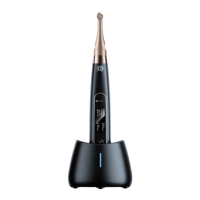
Detailed overview of the EDGEAPEX HP endodontic motor and its capabilities.
Overview of the device's model name and general specifications.
Listing of all components included with the device.
Outlines the intended applications and uses of the endodontic motor.
Specific applications and professional settings for the device's operation.
Lists conditions and patient types for which the device should not be used.
Critical safety information and user advisories for device operation.
Categorization of the device based on electrical shock protection and ingress protection.
Key performance metrics like battery, torque, and speed ranges.
Recommended operating and storage environmental conditions.
Lists the essential accessories provided with the motor handpiece.
Explanation of the various interfaces and information shown on the device's screen.
Details on the contra angle's transmission and maintenance.
Step-by-step guide for attaching and detaching the contra angle.
Instructions for correctly inserting and removing endodontic files.
Further guidance on file handling and safety.
Steps to connect the measuring wire and lip hook for canal measurement.
Explains the function of each button and general settings.
Details the different display interfaces for standby and operation.
Glossary of terms used within the manual.
Procedures for starting and stopping the motor handpiece.
Details on automatic shutdown and standby modes.
How to select and use pre-programmed or custom file sequences.
Guide to adjusting speed, torque, and other operational parameters.
Further details on setting operational parameters for different modes.
Steps to choose from pre-configured file systems.
How to load and use the factory preset programs.
Configuration options for handpiece features like auto power off and calibration.
Detailed settings for handpiece functions.
Explanation of the protective function against excessive torque.
How the ATR mode works and its suitability.
Guidance on operating the motor in different modes.
Step-by-step guide for using the apex locator function.
Best practices and conditions for accurate canal measurement.
Instructions for charging the device's battery.
Steps and recommendations for replacing the internal battery.
Procedure for lubricating the contra angle.
Introduction to hygiene and safety for device components.
General advice for cleaning, disinfection, and material compatibility.
Further general guidance on cleaning agents and water quality.
Procedures for cleaning the main unit and accessories.
Detailed steps for pre-op and post-op cleaning.
Processes for cleaning, disinfecting, and sterilizing attachments.
Methods for accessory cleaning, disinfection, and sterilization.
Guidelines for checking product condition and performing maintenance.
Recommended environmental parameters for storing the device.
General maintenance advice and calibration recommendations.
Precautions for safely transporting the equipment.
Declaration regarding the device's electromagnetic emissions compliance.
Declaration regarding the device's electromagnetic immunity compliance.
Details on RF immunity testing and guidelines.
Recommended distances for RF devices to maintain compatibility.
A guide to diagnosing and resolving issues with the motor or readouts.
 General