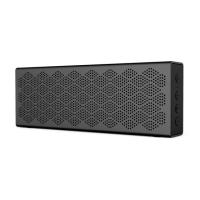
■ Functional operation
⑥
① ② ③ ④
⑤
① Bluetooth switch
Press and hold: disconnect Bluetooth and enter Bluetooth pairing
② Power switch
Press: pause/play
Press and hold: power on/off
③ Volume up button
Press: volume up
Press and hold: next track
④ Volume down button
Press: volume down
Press and hold: previous track
⑤ Charging port
⑥ LED indicator
Note:
1. If the speaker is not connected after power on, it will automatically power off after
30 minutes.
2. In the Bluetooth mode, the "previous/next track" is only valid for devices that
support the AVRCP profile (Audio/Video Remote Control Profile).



 To Next Page