7
(2) You can check the installed RTUNIC Mac OSX driver version
information by running the “kextstat” command
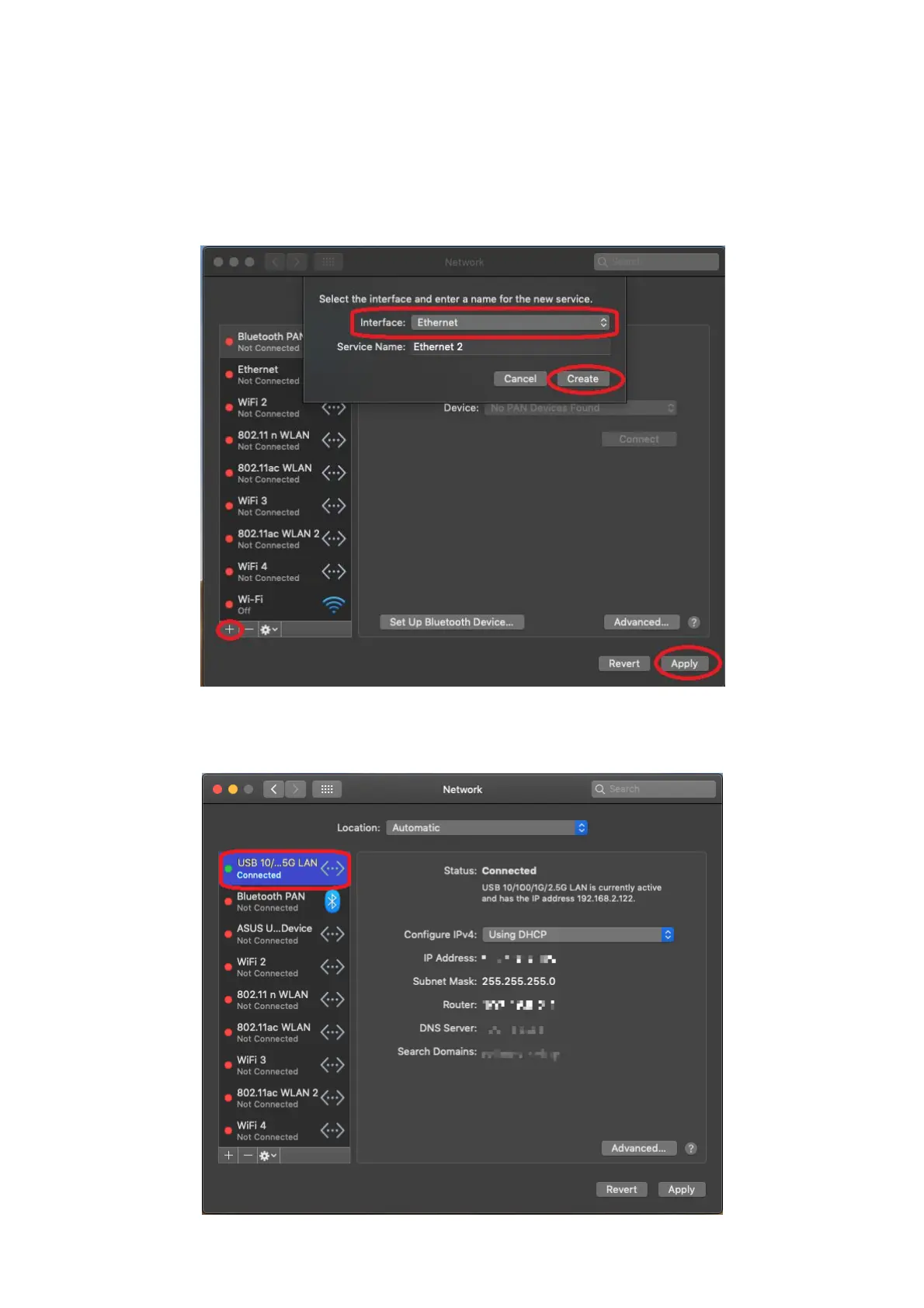
7. Choose Apple menu, System Preferences, then click Network. Select the
new “RTUNIC USB 3.1 to Gigabit Ethernet” network interface and press
“Create” followed by “Apply” for the new network interface to take effect.
8. The new “RTUNIC USB 3.1 to Gigabit Ethernet” driver should be ready.



 To Next Page