6
II-2. Mac OS
Driver Installation
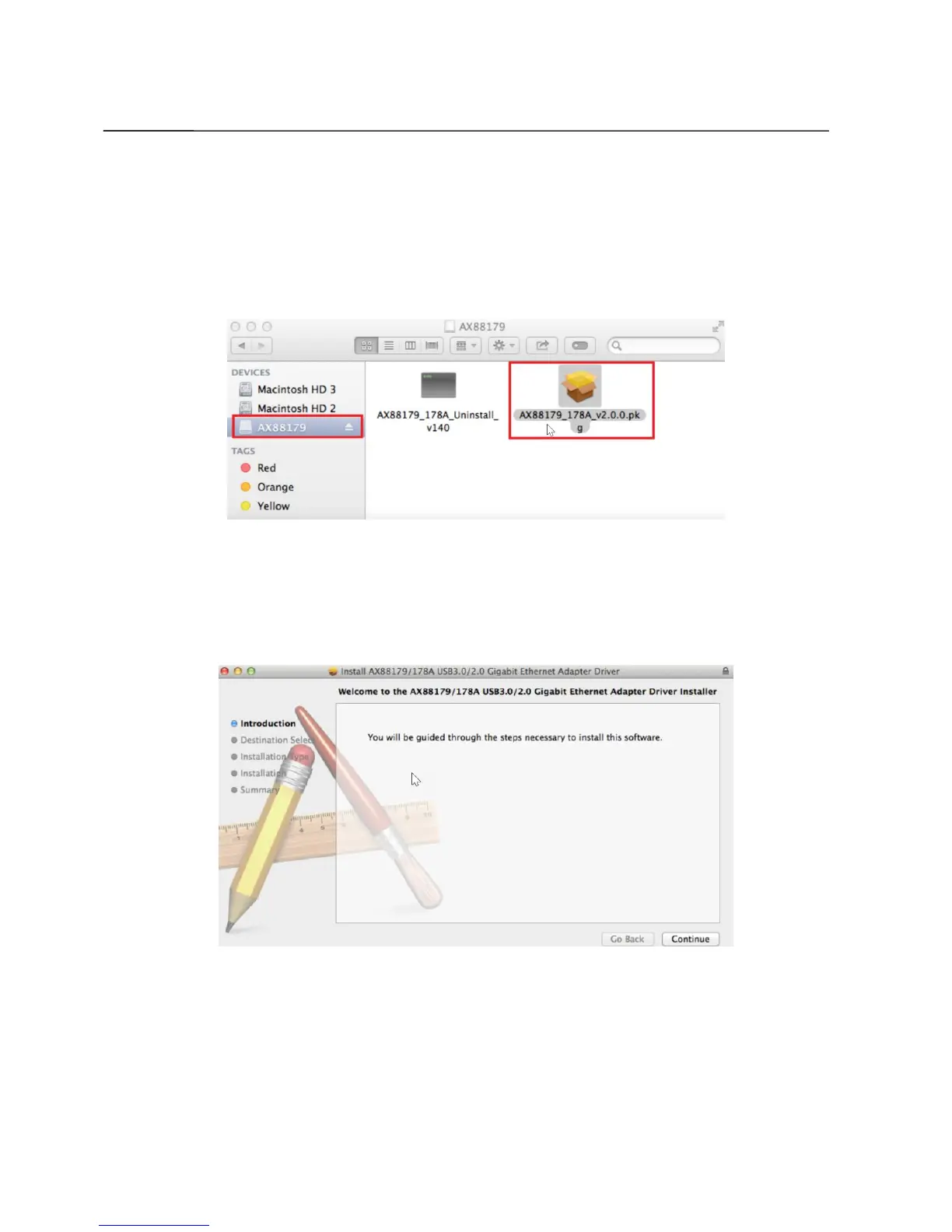
1. Click the “AX88179_178A.dmg”, the following “AX88179” virtual disk will
appear on the Desktop of your Mac OSX system (will be auto-removed
after your Mac OSX system reboots).
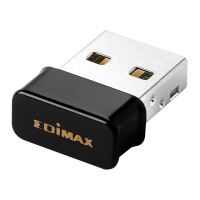
2. Click the “AX88179_178A_vx.x.x.pkg” (“x.x.x” is driver revision number),
and the following driver setup dialog will appear. “Click Continue” to start
the installation and follow the instructions to continue the installation.


 To Next Page