70
Troubleshooting
Windows Me and Windows 98 users
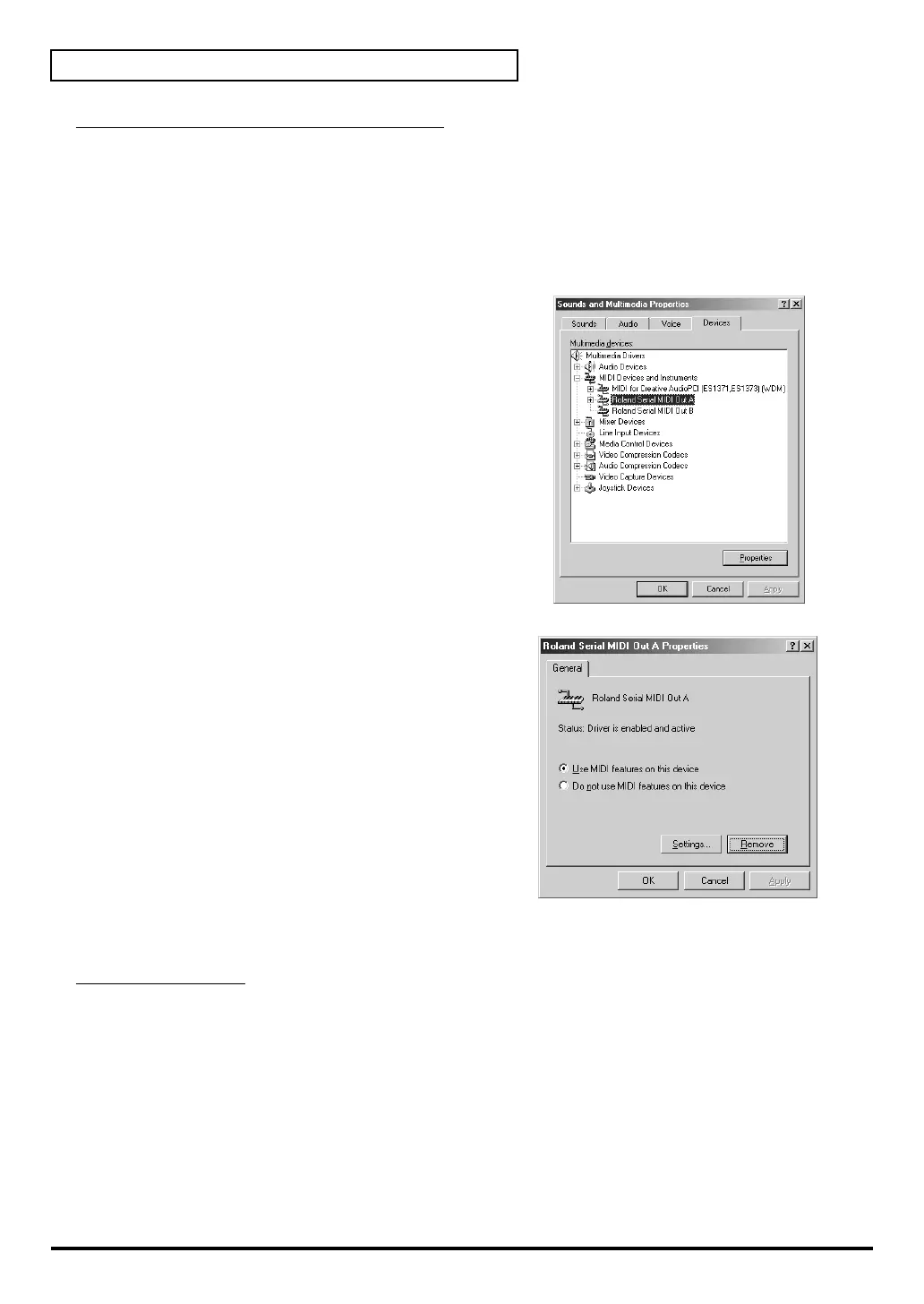
1. From the Windows Start menu, select Settings, and then select the Control Panel.
2. Double-click the Sound and Multimedia icon. The Sound and Multimedia Properties
dialog box will appear. (Multimedia, in the case of Windows 98.)
3. Access the [Devices] screen.
4. In the list, double-click [MIDI Devices and
Instruments].
5. Click [Roland Serial MIDI Out A], and then click
[Properties] in the lower right of the dialog box.
The Roland Serial MIDI Out A Properties dialog
box will appear.
6. In the lower right of the dialog box, click
[Remove].
Several dialog boxes will appear, asking you to
confirm the operation.
When Windows restarts, the serial MIDI driver will be deleted.
Macintosh users
1. Switch off the SD-20's power.
If you're running the SD-20 on BUS power, disconnect the USB cable that connects the SD-20
to the Macintosh.
2. Delete the SD-20 Serial Driver from the OMS Folder inside the System folder, or delete SD-
20 Serial from the FreeMIDI Folder.



 To Next Page