17
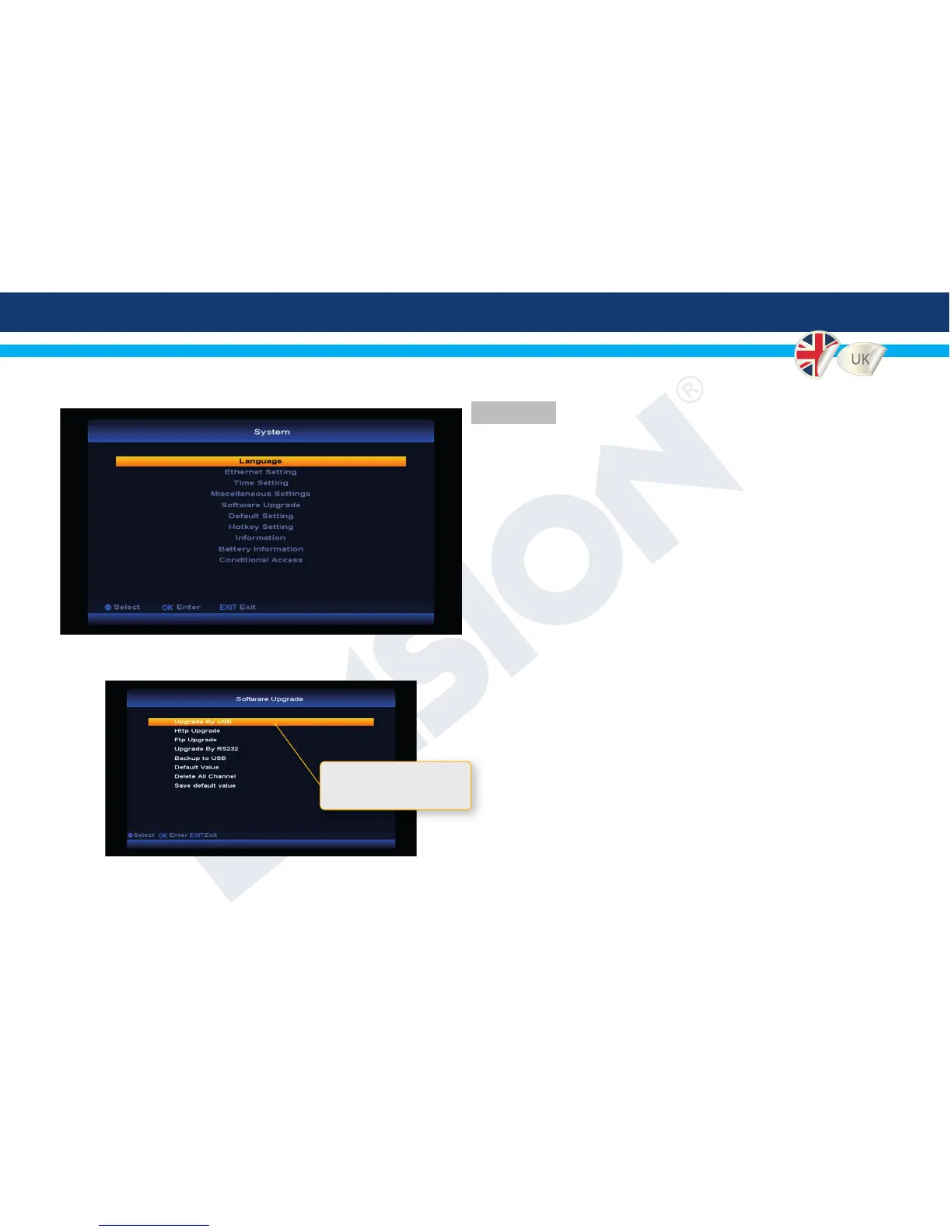
7. System
7.1 Language - Set your preferred OSD & Audio language.
7.2 Ethernet Settings - Congure your network interfaces.
7.3 Time Settings - Congure the system time.
7.4 Miscellaneous settings - Various general settings.
7.5 Software Update - Update or backup your rmware.
7.6 Default settings - Restore the default conguration.
7.7 Hotkey conguration - Congure the hotkey function.
7.8 Information - Display general information about the
device.
7.9 Battery Information - Display battery status.
7.10 Conditional Access - Show CA information about your
card.
4
Software Upgrade, get the best user experience and stay up to date
by upgrading frequently the installed software in your MultiFinder.
Additionally you can wipe channels, make your own rmware
backups and overwrite default values. Please note that it is very
important during rmware update to connect external power supply
to avoid power loss!
Update software using USB
drive and perform a factory
defaults setting


 To Next Page