Edison Scratch 2500
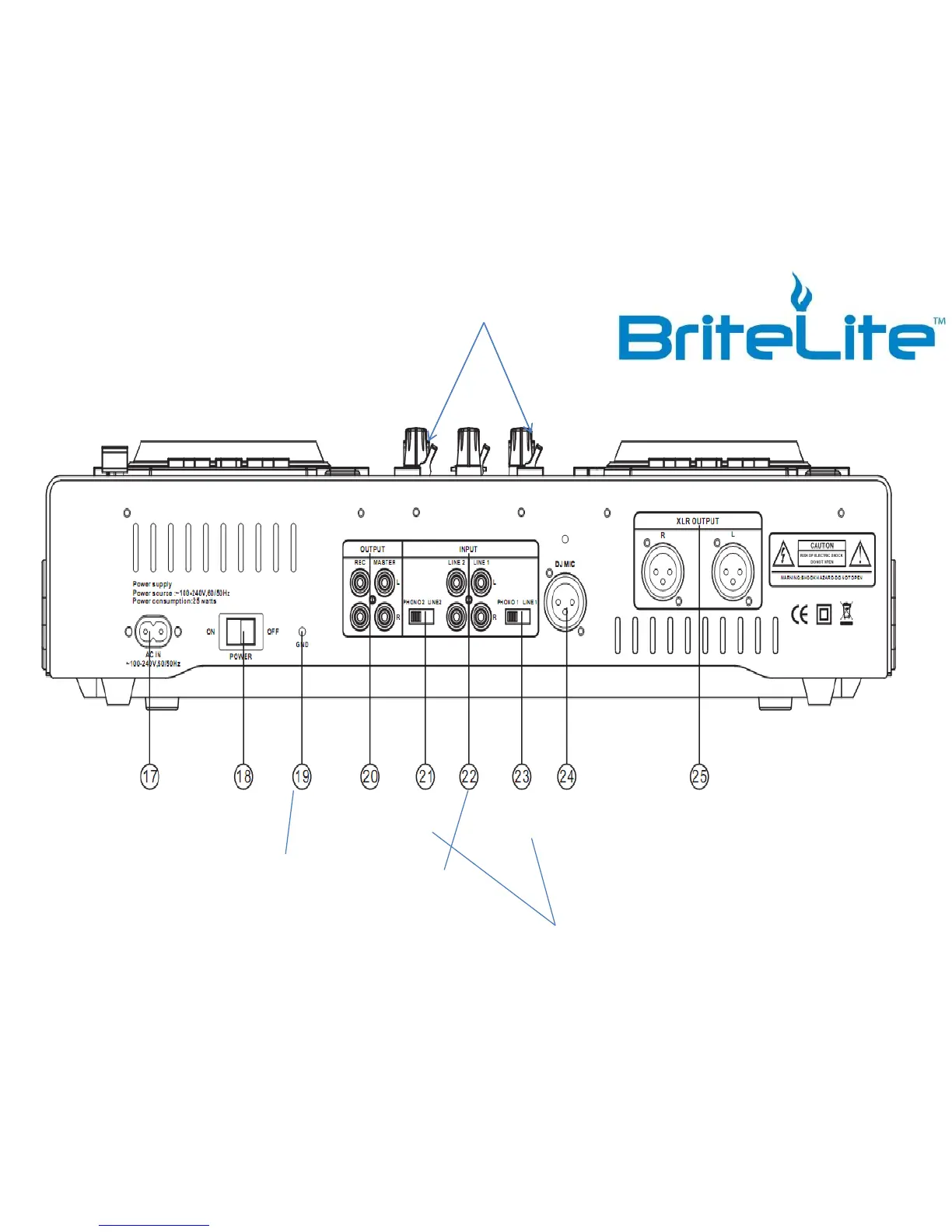
AC
Power
Cord
ON/OFF
Switch
Grounding Lug for
Turntable Connection
Recording /
Master Out (2)
Phono/
Line Two
Line One
& Two
Inputs
Phono/
Line One
Important – Only switch to Phono if you are hooking up additional
Turntables. When using the iPod Cable (3.5mm to Dual RCA) Please
make sure you flip the switch on top to line 1 or line 2.
DJ Mic XLR SPEAKER
CABLES GO HERE
Make sure you switch top Line Control
switches to Line (1) or Line (2) when
wanting the source of music to come from
the 3.5 to RCA cord in the back of the
Scratch 2500 (21 & 23 Below).
- *PLEASE DO NOT HAVE TOO MUCH FUN!!!



 To Next Page