Add Actors to the Gateway
ednet Smart Home system provides Sensors (Transmitters)
and Actors (Receivers).
Transmitter sensors are Motion sensors and Contact sensors.
Receiver devices are Siren, Power plug and others which can be
activated in relation with the event triggered by Transmitter sensors
such as motion sensor.
So let’s try to setup the Receiver device:
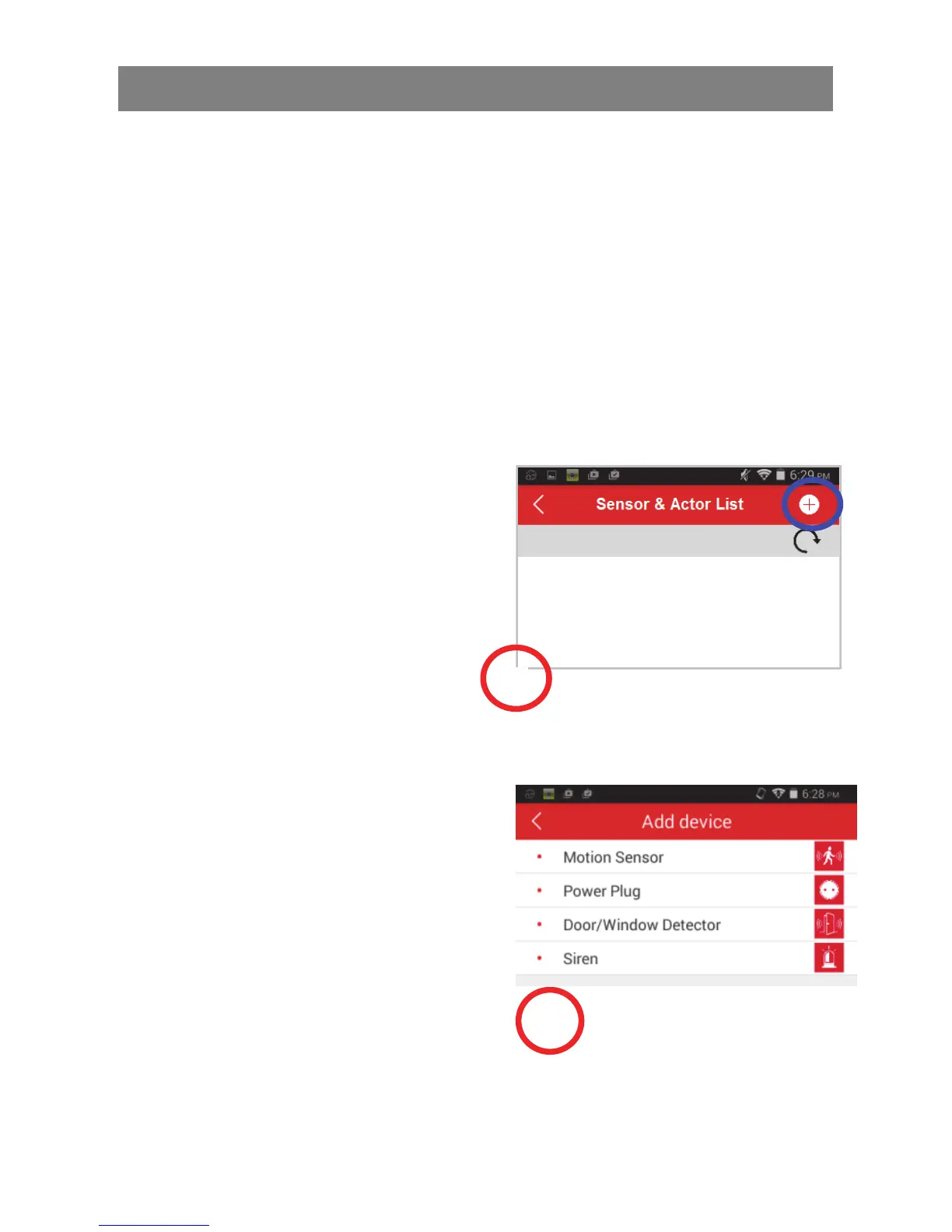
After pressing the "Sensor/Actor"
icon on the camera live-view
page, you will enter the sensor/
actor list. (1)
Please press the “+” sign on the
top right corner to add the Power
Plug (84291 and 84292) as the
Receiver device.
Please select the “type” as
“Power Plug” to add on the
App side. (2)
2
1



 To Next Page