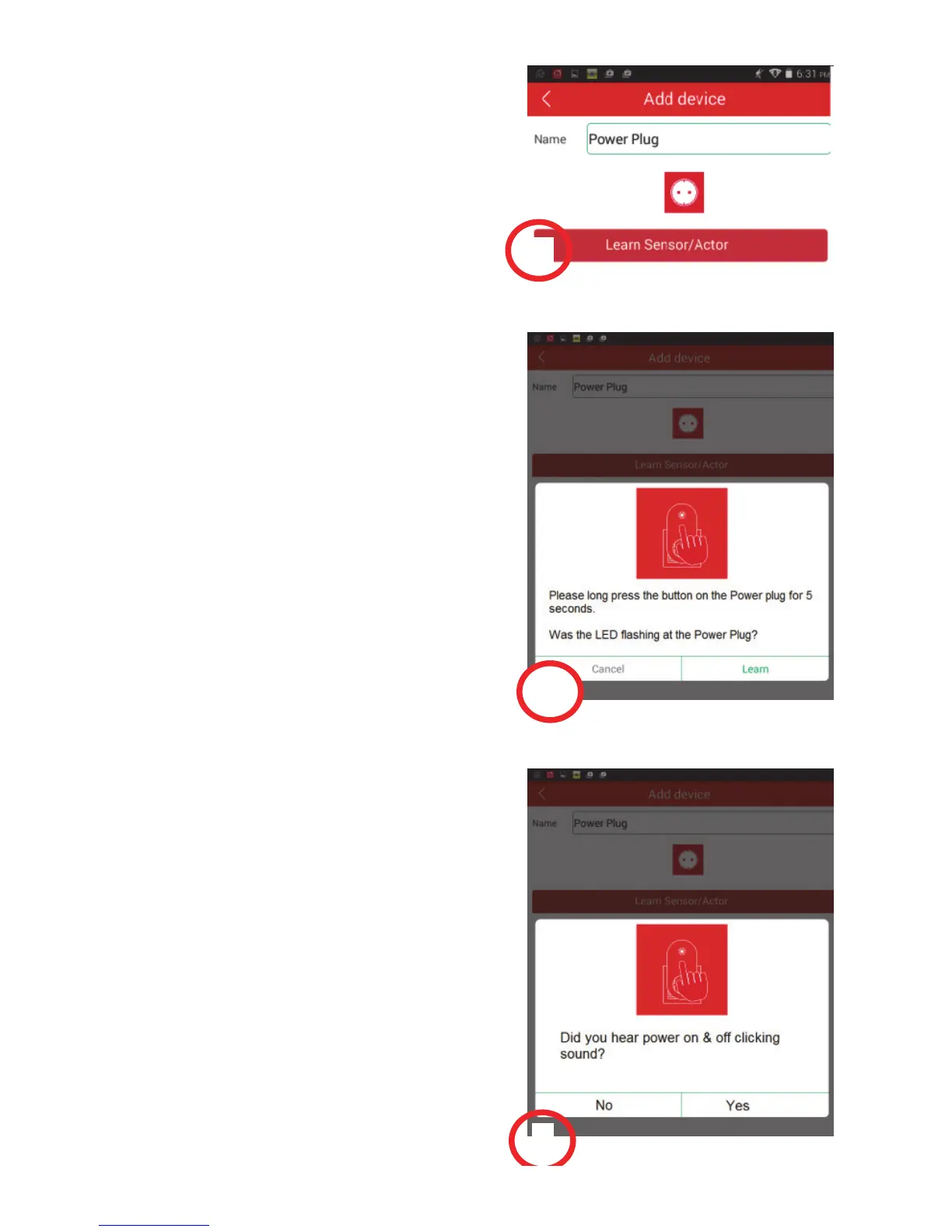
Please give a Name to the Power
Plug. Then press the “Learn
Sensor/Actor” button. (3)
Before pressing “Learn” on the App
side, please make sure your Power
Plug is powered and entered
“Learning” mode already. Please
long press the “Learn” button on the
Power Plug (84291 or 84292) for
5 seconds until you see the flashing
LED on the Power Plug to enter the
Learning Mode. (4)
Please press “Yes” if you hear the
power on & off clicking sound from
the Power Plug to indicate that the
“Learning” is successful. (5)
3
4
5



 To Next Page