EasyManua.ls Logo

Edwards Signaling 2412 - User Manual

Edwards Signaling 2412
79 pages
Print Icon
To Next Page IconTo Next Page
Loading...
P/N 46000-1320, Rev. 1.6
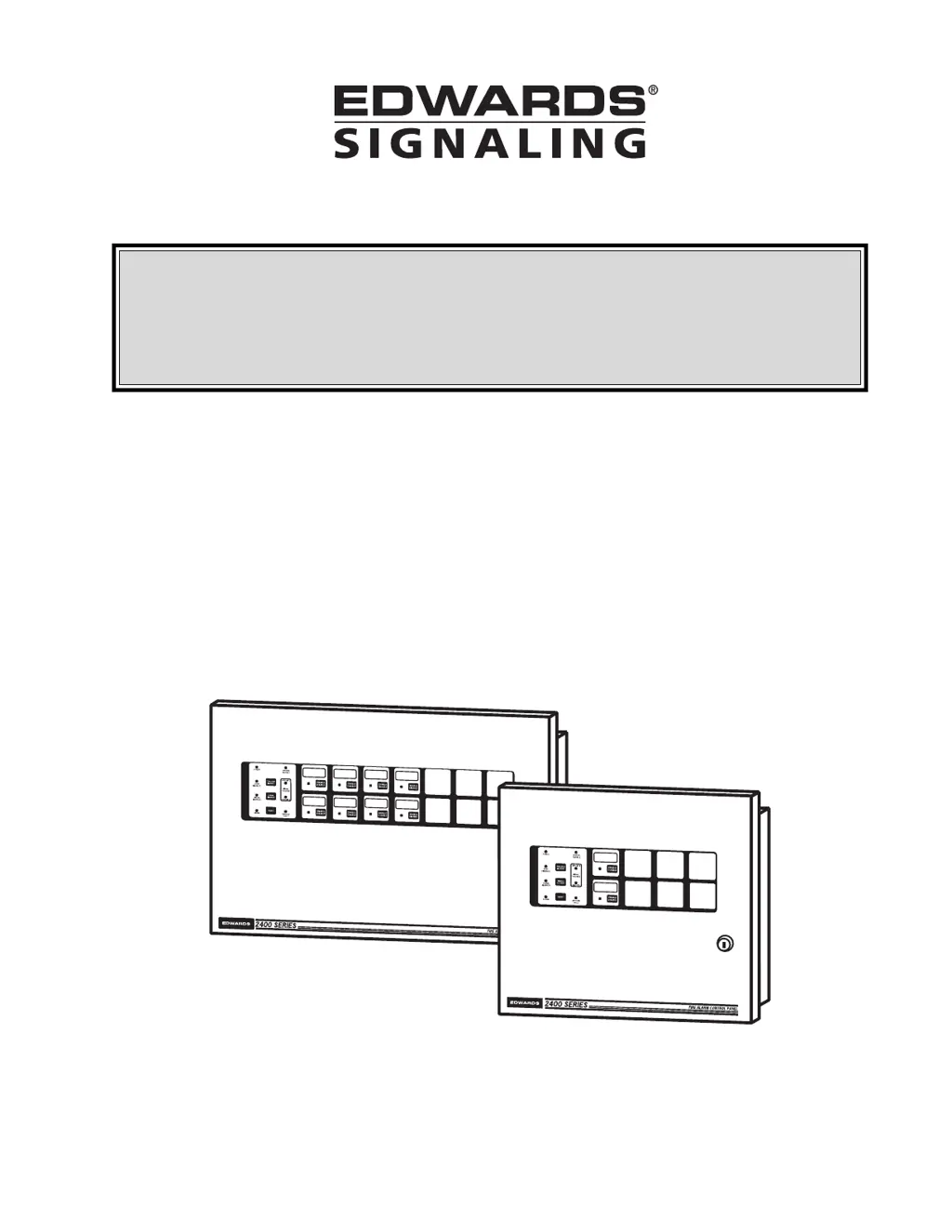
Installation Instructions &
Owner’s Operation Manual
for Two to Eight Zone
2400 Series
Fire Alarm Control Panels

Table of Contents

Questions and Answers

  • A
    Adam DennisAug 19, 2025
    What to do if the Common TROUBLE LED is slowly flashing on my Edwards Signaling 2412?
    • M
      Michael NicholsSep 12, 2025
      If the Common TROUBLE LED is slowly flashing, you should first silence the trouble. Then, duplicate fault conditions 3 to 11, one at a time, to see if there is a subsequent trouble. The possible causes include: circuit open, missing or wrong EOL resistor; fuse F1 open; excessive load on auxiliary power terminals; battery lead not connected or open or poorly connected; defective batteries or power supply; battery low and currently charging; new or unresponsive module on power/data bus; Programming Mode Switch in program mode; or battery fuse open.
  • P
    Paul WarrenAug 21, 2025
    Why are the signal appliances operating and the TROUBLE LED slowly flashing Amber on my Edwards Signaling 2412?
    • S
      Sarah CollinsAug 21, 2025
      The signal appliances are operating, and the Amber TROUBLE LED is slowly flashing because the system is in Drill mode.
  • C
    Christina GoodmanAug 23, 2025
    What does it mean when the TROUBLE LED and Ground Fault LED are slowly flashing Amber on my Edwards Signaling 2412?
    • T
      thomashartAug 25, 2025
      If you observe the Amber TROUBLE LED and Ground Fault LED slowly flashing, it indicates a ground fault on the field wiring.
  • R
    Ryan RiveraAug 26, 2025
    Why are the TROUBLE LED and Signal Trouble LED slowly flashing Amber on my Edwards Signaling Control Panel?
    • J
      jason64Aug 26, 2025
      The TROUBLE LED and Signal Trouble LED slowly flashing Amber indicates that electronic circuit breakers are open, the circuit is open, missing, or has an incorrect EOL resistor, or the circuit is shorted due to an improperly installed device.
  • J
    Johnny LewisAug 28, 2025
    Why is the ZONE DISABLED LED flashing Amber (3 or 4-Phase) on my Edwards Signaling Control Panel?
    • G
      Garrett SmithAug 28, 2025
      The ZONE DISABLED LED is flashing Amber because the system is in Test mode, meaning the disabled zones are under test.
  • H
    hfordAug 30, 2025
    What does it mean when the zone LED and zone disabled LED are flashing Amber (2-phase) on my Edwards Signaling 2412 Control Panel?
    • J
      James BenitezAug 30, 2025
      The 2-phase flashing Amber zone LED and zone disabled LED indicates that the zone disable switch is activated.
  • A
    Aaron JacksonSep 1, 2025
    What does the 'Trouble (PAUSE PAUSE...AMBER)' indication mean on my Edwards Signaling Control Panel?
    • J
      justin21Sep 1, 2025
      The 'Trouble (PAUSE PAUSE...AMBER)' indication means that the retry count has been exceeded, and the system is unable to communicate, or the phone line is open or shorted.
  • L
    lisa33Sep 4, 2025
    What does the 'Disabled (PAUSE PAUSE...AMBER)' indication signify on my Edwards Signaling 2412 Control Panel?
    • D
      Deanna NunezSep 4, 2025
      The 'Disabled (PAUSE PAUSE...AMBER)' message indicates that the disable switch has been activated (the dialer will automatically re-enable in 24 hours and transmit current status), the dialer is not completely programmed, or the system is in programming mode.
  • L
    Lori FlemingSep 6, 2025
    Why is the POWER ON LED slowly flashing green and the Trouble Buzzer pulsing on my Edwards Signaling 2412 Control Panel?
    • M
      Miranda NorrisSep 6, 2025
      The POWER ON LED is slowly flashing green, and the Trouble Buzzer is pulsing because the system is in Program mode, or the Program switch is in the "ON" position.
  • J
    Jason MorrisSep 8, 2025
    What does it mean when the zone LED and zone disabled LED are flashing Amber (3-phase) on my Edwards Signaling 2412 Control Panel?
    • B
      Brandi ThompsonSep 9, 2025
      The 3-phase flashing Amber zone LED and zone disabled LED indicates that the zone is in audible test mode.

Summary

CAUTION

FCC Information

CANADA DOC Information

1.0 DESCRIPTION

Panel Features

Details supervisory, operational, programmable, and hardware features of the fire alarm control panel.

1.1 Components

Lists base panel capacities and various accessory/option modules for the 2400 series.

Module Descriptions

Details of specific modules like IDC, RCT, Dialer, ADM, ADS, RTU, and Remote Annunciators.

2.0 APPLICATION

Fire Alarm System Limitations

Discusses system purpose, component roles, and the need for preventive maintenance and testing.

3.0 THEORY OF OPERATION

Initiating Device Circuits (IDCs)

Explains IDC operation, zone types, and operating states for initiating devices.

Indicating Appliance Circuits (IACs)

Describes IAC operation, signaling appliance activation, and Class A wiring.

4.0 INSTALLATION

Installation Guidelines

Covers codes, standards, site storage, drawing references, mounting, power, and initial wiring instructions.

Panel Assembly and Module Installation

Procedures for assembling the base panel and installing option modules like IDC, ADM, RCT, and Dialer.

System Setup and Configuration

Steps for system power up, programming, field wiring, and panel function testing.

5.0 PROGRAMMING

Panel Programming

Guide to programming IDCs, IACs, system timers, and auxiliary power settings using panel switches.

Dialer Module Programming

Comprehensive guide for programming the DL1 Dialer Module, including CMS numbers, IDs, and retry settings.

Default Settings and Exiting

Procedures for returning to panel defaults and exiting the programming mode.

6.0 OPERATION

Panel Modes and Functions

Explains Normal, Alarm, Reset, Trouble, Supervisory, Drill, Disable, and Test modes, including LED indications.

7.0 TROUBLESHOOTING

Troubleshooting Guides

Tables correlating trouble LEDs, panel conditions, and dialer codes with their possible causes.

8.0 PREVENTIVE MAINTENANCE

Maintenance Schedule and Procedures

Schedule and procedures for routine maintenance, testing, and cleaning of system components.

Replacement Parts

List of related and spare parts available for the EDWARDS 2400 series panels and accessories.

9.0 SPECIFICATIONS

Base Panel and Module Specifications

Technical specifications for base panels, various modules (converters, IDC, RCT, ADM/ADS, Dialer), and battery cabinet.

Dialer Module Specifications

Detailed specifications for the DL1 Dialer Module, including communication protocols and dialer codes.

10.0 APPENDICES

Battery Calculations

Tables and worksheets to calculate required battery capacity based on panel configuration and operating modes.

Compatible Devices

Lists of ULI and ULC compatible initiating devices, signaling appliances, and accessories for use with the system.

Glossary and Standards

Definitions of technical terms and a list of relevant installation and operation standards from NFPA, UL, and ULC.

Configuration Worksheet

Worksheets for recording panel configuration, IDC programming, IAC programming, and option modules.

Edwards Signaling 2412 Specifications

General IconGeneral
BrandEdwards Signaling
Model2412
CategoryControl Panel
LanguageEnglish