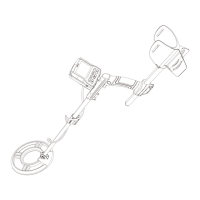
The GC-1078 Metal Detector is a versatile device designed for hobbyists and treasure hunters to locate various metal objects such as coins, relics, jewelry, gold, and silver. It boasts high sensitivity and strong discrimination capabilities, allowing users to differentiate between different types of metal and filter out unwanted targets.
Function Description
The metal detector operates by emitting an electromagnetic field from its 10-inch waterproof search coil. When this field encounters a metal object, it induces a current in the object, which the search coil then detects. The detector processes this signal and provides visual and auditory feedback to the user.
The device features an LCD display that shows crucial information, including the probable type of metal detected, the depth of the target, the current discrimination (DISC) range, the sensitivity (SENS) level, the volume (VOLUME) level, and the battery condition. This comprehensive display helps users understand the detected signals and adjust settings accordingly.
One of the key features is its Three Tone Audio Discrimination, which produces distinct low, medium, and high tones for different types of metal. This auditory feedback allows users to quickly identify potential targets without constantly looking at the display.
The detector offers four primary search modes:
- A-M (ALL METAL) Mode: This mode is designed to detect all types of metal without any discrimination. When activated, the detector will respond to any metal object it encounters, sounding a tone and flashing the target icon on the LCD. The depth of the target is also displayed.
- DISC (DISCRIMINATION) Mode: This mode allows users to eliminate unwanted metal targets in a sequential manner. By pressing the DISC button and using the "+" or "-" buttons, users can select and eliminate specific metal categories. A cross mark will appear under the eliminated target icon, indicating that the detector will ignore that type of metal. This is particularly useful for filtering out junk metal like iron.
- NOTCH Mode: Similar to DISC mode, NOTCH mode provides more granular control over target elimination. Users can freely choose and eliminate any unwanted metal target by moving a cursor to the target icon and confirming with the DISC button. This allows for precise filtering of specific metal types. It's important to note that valuable silver targets (like 50-cent or 25-cent coins) cannot be eliminated in this mode. Eliminated targets can be recovered by moving the cursor back to the icon and pressing DISC again.
- PP (PINPOINT) Mode: After a metal object has been detected, the PINPOINT mode helps users find the exact location of the target. By pressing and holding the PP button, the PINPOINT icon on the LCD flashes. Moving the search coil slowly over the sound area will cause the detector to sound a tone and flash the target icon, displaying its depth. Repeating this process helps narrow down the target's precise location until a constant signal is displayed. This mode does not require search coil motion to induce sound.
Usage Features
The GC-1078 Metal Detector is designed for user comfort and ease of use, featuring an adjustable shaft that allows users to customize the length for comfortable operation. The assembly process is straightforward and requires no special tools, involving simple steps like attaching the middle stem to the top stem, securing the control box, connecting the lower stem, and finally attaching the search coil.
The control panel is intuitive, with seven dedicated buttons for various functions:
- POWER: To turn the detector on or off.
- SET: To adjust sensitivity or volume levels.
- DISC: To adjust the discrimination range or eliminate unwanted targets.
- INCREASE (+): To increase volume, sensitivity, or discrimination range.
- DECREASE (-): To decrease volume, sensitivity, or discrimination range.
- PP: To pinpoint the exact location of a detected target.
- BACKLIGHT: To turn the LCD backlight on or off, which helps conserve battery life in well-lit environments.
When operating the detector, it is recommended to hold the search coil level to the ground, about 1-2 inches above the surface, and sweep it slowly in a side-to-side arc motion of about 3 inches. Sweeping too fast or in a pendulum-like motion can lead to false readings. If a signal does not repeat after several sweeps, it might indicate junk metal. False signals can also be caused by highly mineralized ground, electrical interference, or large irregular pieces of junk metal. The detector is more likely to detect coins when their flat side is parallel to the search coil.
The detector also includes a headphone jack (3.5mm) for connecting headphones, which allows for private operation and can help in hearing subtle signals. When headphones are connected, the internal speaker is automatically disconnected.
Maintenance Features
The GC-1078 Metal Detector requires two 9-volt alkaline batteries for power. It is crucial to install the batteries correctly, matching the polarity symbols, and to ensure the power is off before installation. The detector maintains full performance until the battery level indicator shows no segments remaining, at which point the batteries should be replaced.
Important battery cautions:
- Only use fresh alkaline batteries of the required size.
- Do not mix old and new batteries or different types of batteries.
- If the detector will not be used for a week or more, remove the batteries to prevent leakage, which can damage electronic parts.
- Dispose of old batteries properly; never bury or burn them.
The search coil is waterproof, allowing for use in shallow water. However, care should be taken not to over-tighten the search coil or use tools like pliers, as this could cause damage. The search coil's plug is designed to fit into the connector in only one way, and forcing it or pulling on the cable can also cause damage.
The detector has a memory function that automatically memorizes user settings until they are reset, providing convenience for repeated use.
Troubleshooting guidance is provided for common issues:
- Detector displays and sounds without detecting any target: This could be due to interference from broadcast antennas or other electronic lines, or high environmental humidity. Suggestions include changing the search location or waiting for some time.
- Detector sounds false signals: This might be caused by high sensitivity settings, environmental electromagnetic interference, sweeping the search coil too fast or at a wrong angle, or using two detectors in close proximity. Solutions involve reducing sensitivity, sweeping more slowly and correctly, and maintaining a distance of at least 6 meters (20 feet) between detectors.
- Detector does not detect anything: Possible reasons include low sensitivity, eliminated target range, or the search coil not being parallel to the ground. Recommendations are to increase sensitivity, recover all target ranges, and adjust the search coil angle.
- LCD displays multiple target categories or emits several sounds at once: This can happen if there are multiple metal targets or if the detector struggles to identify the target, especially with oxidized metal. Reducing sensitivity to eliminate deeper targets and sweeping the search coil with different angles are suggested.
- Detector does not function: This is typically due to a poorly connected five-pin cable or dead batteries. Re-plugging the cable properly and replacing batteries are the solutions.
The product comes with a 24-month warranty period, measured from the date of purchase by the original consumer. Proof of purchase is required to establish the start date of the warranty. Customer support is available via email and website, offering a lifetime friendly consumer service with responses within 24 hours.


 To Next Page
 General